
Buy the plain Core i7-14700 unless you are putting it on a Z790 board and plan to overclock. At TechCortex the K costs only $3.17 more — $456.82 against the 14700's $453.65 — so this was never about saving money. The catch is that the K's headline feature, its unlocked multiplier, does nothing on the budget B760 boards most people pair with a 14700-class chip, and the K ships without a cooler while the non-K includes Intel's Laminar RM1 (Intel). For the large majority of builds, the cheaper chip is also the more complete one.
The question comes up because the two look almost identical on a spec sheet — same 20 cores, same 28 threads, same socket — and the usual logic ("the K is the faster, premium one") stops applying when the price gap is three dollars. What you are actually choosing between is a 65 W chip that comes ready to run and a 125 W chip that only pays off with extra hardware and effort.
The hardware difference comes down to clocks and power
Put the two spec sheets side by side and almost everything matches. Same eight performance cores and twelve efficiency cores, same 28 threads, same 33 MB of L3 cache, same LGA1700 socket, same DDR5-5600 and PCIe 5.0 support (Intel ARK). Intel built both from the same Raptor Lake Refresh die.
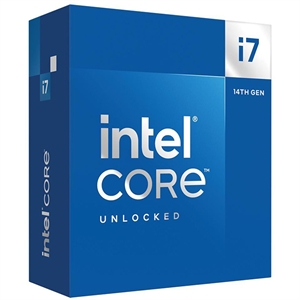
Two numbers actually move. The K reaches a 5.6 GHz max turbo versus 5.4 GHz on the non-K — about a 4% peak-clock advantage — and it carries a higher power ceiling, 253 W max turbo power against 219 W (Intel ARK). That higher ceiling is what lets the K hold its all-core clocks longer under a sustained render or compile, so in heavy, long multi-threaded jobs you'll see the K pull ahead by a low single-digit margin. The non-K's P-cores also start from a much lower 2.1 GHz base versus the K's 3.4 GHz, which matters only when a board clamps power hard — under normal turbo both chips boost far above base.
Gaming: the gap you're paying for mostly isn't there
For games, treat these two as the same chip. A roughly 4% clock difference only shows up in a CPU-limited scenario — 1080p on a very fast GPU with low settings. Move to the 1440p or 4K most 14700-class builders actually play at, and the graphics card sets the frame rate, so the 14700 and 14700K land within run-to-run noise of each other.
This isn't a chip to buy for gaming in the first place. GamersNexus found the 14700K's gaming uplift over the previous 13700K ranged from about 1.8% in Rainbow Six Siege to 7.6% in Starfield at 1080p, called the lead "shockingly boring," and concluded it's best understood as "a slightly pre-overclocked 13700K" (GamersNexus). Against AMD's 3D V-Cache parts it loses outright — the Ryzen 7 7800X3D led by about 24% in Cyberpunk in that same review. If gaming is the goal, start with our best CPU for 1440p gaming guide instead of either 14700.
Power, heat, and the cooler you don't have to buy
This is where the non-K quietly wins the value math. Its 65 W base power keeps it cooler and quieter in everyday use, and — the part that matters at checkout — Intel includes the Laminar RM1 cooler in the box (Intel). You can boot and run a 14700 with nothing extra to buy.
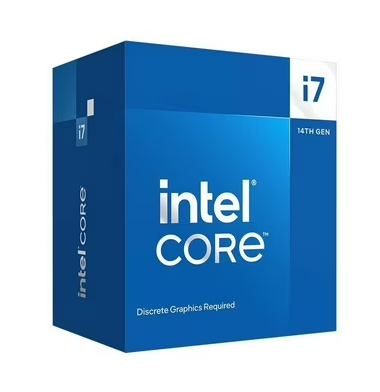
The K comes bare and runs hot when pushed. GamersNexus measured 284 W at the rails in an all-core Blender workload (GamersNexus), and holding its clocks under that load wants a strong dual-tower air cooler or a 280–360 mm AIO. Add $40–$120 for a cooler good enough to feed it, and the K's real cost is well above the $3 on the price tag. Our air cooler vs AIO guide covers what each tier actually buys. The bundled RM1 is fine for the non-K at stock in a case with decent airflow; it is not a high-end cooler, but you won't need one unless you load all 20 cores for a living.
Specs and price side by side
| Core i7-14700 | Core i7-14700K | |
|---|---|---|
| Cores / threads | 20 (8P + 12E) / 28 | 20 (8P + 12E) / 28 |
| P-core max turbo | 5.4 GHz | 5.6 GHz |
| Base power / max turbo | 65 W / 219 W | 125 W / 253 W |
| Multiplier | Locked | Unlocked |
| Bundled cooler | Laminar RM1 included | None |
| Socket | LGA1700 | LGA1700 |
| TechCortex price | $453.65 | $456.82 |
Two things on this table decide the purchase. The multiplier line is only useful if you also buy a Z790 board — a B760 or H610 board will run a K chip but keeps the core multiplier locked, so you're paying the K's power and heat penalty for a feature the board won't let you use. The socket line is the honest caveat for both: LGA1700 is end-of-life. The 14th generation is the last Intel shipped for it, so whichever you pick, there's no drop-in CPU upgrade later — newer Core Ultra chips moved to LGA1851.
One caveat that applies to both chips
Intel's 13th- and 14th-gen desktop parts had a well-documented instability problem traced to elevated operating voltage. Intel's final fix is the 0x12B microcode update, delivered through motherboard BIOS updates in late 2024 (TechSpot). Before you install either chip, flash the latest BIOS for your board and leave it on the Intel Default Settings profile. The update doesn't repair an already-degraded chip, so buy from stock that's current — and if you're reusing an older board, read do you need to update BIOS for a new CPU first.
Who should buy which
- Buy the Core i7-14700 if you want a strong 20-core chip that's ready to run out of the box. It's $3 cheaper, includes a cooler, draws far less power at idle and in light work, and gives up only ~4% peak clock — invisible in gaming and small even in productivity. This is the right pick for the vast majority of builds, especially on a B760 board.
- Buy the Core i7-14700K if you're pairing it with a Z790 board and will actually overclock, or you run sustained all-core workloads daily and want the higher power ceiling and clocks. Budget for a real cooler on top of the chip.
- Buy neither if the build is mainly for gaming. The Ryzen 7 7800X3D delivers higher frame rates for similar money; spend the difference on your GPU.
Not sure how either fits the rest of your parts? Plan the full system with compatibility checks in our PC Builder, see how the 14700K stacks up against cheaper and pricier Intel chips in Core i5-14600K vs i7-14700K and Core i7-14700K vs i9-14900K.