
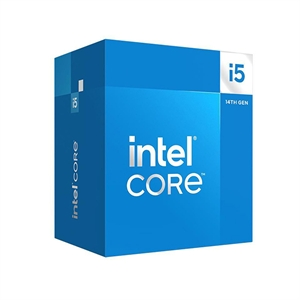
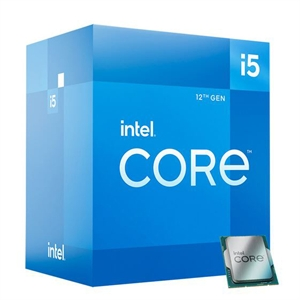
For a brand-new budget gaming build, the Intel Core i5-14400F is the one to buy — but the margin over the i5-12400F is small. At 1080p with a fast GPU it runs about 8% more frames on average, and in our catalog it costs only about $14 more ($243.42 vs $229.08). The bigger difference isn't gaming at all: the 14400F carries 10 cores and 16 threads (6 performance cores plus 4 efficient cores) against the 12400F's 6 cores and 12 threads, and those extra cores help multitasking and productivity far more than frame rates. If you already own a 12400F, this is not an upgrade worth paying for.
The question comes up because "12th gen" and "14th gen" sound two full generations apart. They aren't. The 14400F is a Raptor Lake Refresh part built on the same hybrid design, and its six performance cores — the ones that actually drive games — run only about 300 MHz faster than the 12400F's. The headline gain, the four extra efficient cores, does almost nothing for fps.
1080p gaming performance
This is where buyers expect a generational leap and instead get a modest step. The figures below are 1080p averages from ichip.ru's eight-game test, run on an RTX 4090 so the graphics card is never the bottleneck — that is the point of 1080p CPU testing, to show the widest gap a processor can produce. Both chips ran at stock settings.
| Game (1080p, RTX 4090) | i5-12400F | i5-14400F | 14400F lead |
|---|---|---|---|
| Cyberpunk 2077 | 77 fps | 90 fps | +17% |
| Horizon Forbidden West | 130 fps | 150 fps | +15% |
| Starfield | 91 fps | 102 fps | +12% |
| Ghost of Tsushima | 136 fps | 142 fps | +4% |
Across the full eight-game suite the 14400F lands about 8% ahead. The gap is widest in CPU-heavy engines like Cyberpunk 2077 and narrowest in titles that are easier on the processor, where both chips already feed the GPU everything it needs.
Two caveats keep this honest. First, almost nobody pairs a budget i5 with an RTX 4090 — on a realistic budget GPU, both CPUs will often hit the same frame rate because the graphics card runs out of headroom first. Second, that gap shrinks further the moment you move up in resolution: at 1440p and 4K the GPU becomes the limit and the difference between these two chips collapses toward zero.
Cores, clocks, and cache: where the gap comes from
On paper the 14400F looks like a big step — four more cores, four more threads. For gaming, though, the numbers that move frame rates are the clock speed and the cache, not the core count.
| i5-12400F | i5-14400F | |
|---|---|---|
| Architecture | Alder Lake | Raptor Lake Refresh |
| Cores / threads | 6 (6P + 0E) / 12 | 10 (6P + 4E) / 16 |
| P-core max turbo | 4.4 GHz | 4.7 GHz |
| E-core max turbo | — | 3.5 GHz |
| L3 cache | 18 MB | 20 MB |
| Base / max turbo power | 65W / 117W | 65W / 148W |
| Socket | LGA1700 | LGA1700 |
| Memory | DDR5-4800 / DDR4-3200 | DDR5-4800 / DDR4-3200 |
| Integrated graphics | None (F) | None (F) |
Games lean almost entirely on the performance cores, and both chips have the same six. The 14400F just clocks them about 300 MHz higher and backs them with 2 MB more L3 cache, and that is where its roughly 8% gaming lead comes from. The four efficient cores sit mostly idle while you play — they are built for background and multi-threaded work, not for pushing frames. That is the single most useful thing to understand here: you are paying for clock speed in games, and the "10 cores vs 6 cores" marketing is about everything except gaming.
Where the 14400F actually pulls ahead: multi-threaded work
The extra cores are not useless — they just help somewhere other than your frame counter. With 16 threads instead of 12, the 14400F has real headroom for things that run alongside or instead of a game: streaming to Twitch while you play, video encoding, photo and code work, or simply keeping a browser with 40 tabs responsive in the background. In heavily threaded tasks like rendering and encoding, the four added E-cores give it a clear lead the 12400F cannot match.
For a pure gaming box that does one thing at a time, the 12400F's 6 cores and 12 threads are still plenty in 2026 and will be for years. The 14400F's advantage grows the more your PC does besides gaming.
Price and platform in our catalog
In our catalog the Intel Core i5-12400F is $229.08 and the Intel Core i5-14400F is $243.42 — a gap of about $14, roughly 6%. That is small enough that for a new build it rarely changes the decision: the 14400F gives you the 8% gaming bump plus the multi-core headroom for about the price of a game. When the two sit this close, the newer chip is the easy default.
The platform is identical either way. Both drop into the LGA1700 socket, so you can pair them with an affordable B660 or B760 board and either DDR4 or DDR5, which keeps the rest of the budget free for the graphics card. Both ship as retail boxed chips with Intel's bundled stock cooler; the 14400F pulls a bit more power under a sustained all-core load (148W max turbo vs 117W), so a basic tower cooler is worth it if you plan to stress all ten cores, though neither needs liquid cooling.
One thing both share that trips up first-time builders: the "F" suffix means no integrated graphics. Neither chip can output video on its own, so a discrete GPU is mandatory with either one. If you are still choosing the rest of the parts, our guide to the best budget CPUs for entry-level gaming puts both of these in context, and you can drop either chip into our PC Builder to check board and GPU compatibility before you commit.
Who should buy which
- Buy the i5-12400F if you are on the tightest budget and the machine is for 1080p gaming and little else. It stays within about 8% of the 14400F in games, costs around $14 less, and frees that money for a better GPU — which will do far more for your frame rate than the CPU gap will.
- Buy the i5-14400F if this is a new build and you also stream, encode, or multitask, or you simply want a bit more longevity. The four extra E-cores and higher clocks are worth the small premium when you are buying fresh anyway.
- Don't upgrade a 12400F to a 14400F. They use the same socket, so the swap is easy, but a single-digit gaming gain is not worth the cost of a new CPU. Put that money toward a graphics card instead.