

A modular power supply only changes one thing: which cables you attach. The detachable cables do not add watts, do not make the unit more stable, and do not lower your power bill. What you pay the premium for is a cleaner build and better airflow in a cable-dense case. If your build sits in a roomy ATX case with a power-supply shroud, a good non-modular unit does the same electrical job for less money. If you are building in a small case, a glass-side showpiece, or anything where airflow and tidy routing matter, a semi-modular or fully modular unit earns the extra $10–$30.
The confusion is understandable, because modular units are also the ones with higher wattage ratings, higher 80 PLUS efficiency badges, and better internals — so builders assume the detachable cables are part of that quality jump. They are not. Modularity and quality just tend to ship in the same box.
What modular, semi-modular, and non-modular actually mean
The three types differ only in how the cables attach to the power supply.
- Non-modular: Every cable is permanently wired into the unit — the 24-pin motherboard cable, the CPU power, the PCIe cables, the SATA and Molex strings. You get all of them whether your build uses them or not, and the unused ones have to be tucked away somewhere.
- Semi-modular: The cables almost every build needs — the 24-pin and the CPU/EPS power — come fixed. Everything else (PCIe, SATA, peripheral) is detachable, so you plug in only the extras you use.
- Fully modular: Nothing is attached out of the box. Every cable, including the 24-pin, connects to a socket on the unit. This gives the most control over routing and lets you swap in custom-length or custom-color cables.
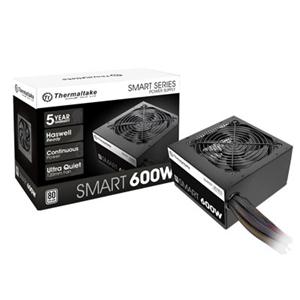
A non-modular unit like the 600W Thermaltake Smart SP-600AH2NKW ($57.99 in our catalog) wires every cable in. In a build that only draws from a CPU cable and one PCIe lead, the leftover SATA and Molex strings have to live behind the motherboard tray.
Does modularity change performance or efficiency?
No, and this is the part most buyers get wrong. A power supply's output and stability are set by its internal components — the transformers, capacitors, and voltage regulation — and its efficiency is set by how much power it wastes as heat, which the 80 PLUS badge certifies. Whether the cable is soldered in or clips into a socket does not touch any of that.
The one technical objection is that a detachable connector adds a contact point, and a contact point adds a sliver of electrical resistance. That is true, and power-supply makers themselves raised it years ago as a reason an efficiency-obsessed buyer might prefer fixed cables. But the effect is minuscule on a well-built modern unit — a rounding error next to the several percentage points that separate, say, an 80 PLUS Bronze unit from a Gold one. If efficiency is what you care about, the 80 PLUS tier is the number that actually moves your power bill, not the cabling.
So a modular PSU is not "better" than a non-modular one in any electrical sense. It is more convenient.
The real tradeoff: airflow, cable management, and build time
What modularity buys you is a tidier, better-breathing build.
In a non-modular unit, the cables you do not use still exist, and they have to go somewhere. In a case with a shroud over the PSU, that is usually fine — the clutter hides out of sight. In a small case or a tight build, a thick bundle of unused cables crammed into the PSU chamber sits right in front of the unit's intake fan, forcing it to work harder to pull air. Installing only the cables you need keeps that chamber clear.
Modularity also saves time and frustration during the build itself, and makes later upgrades easier — adding a drive or swapping a GPU means running one new cable rather than fishing a fixed one out of a tucked-away bundle. For a glass-side build where the interior is on display, the clean look is often the whole point.
None of this shows up in a benchmark. It shows up when you are routing cables at 11pm and when you open the case a year later.
What you actually pay for it
Here is where the price confusion comes from. Compare two units from our catalog:
| Non-modular | Fully modular | |
|---|---|---|
| Example | Thermaltake Smart SP-600AH2NKW 600W | Cooler Master MWE Gold 850W |
| Price | $57.99 | $126.99 |
| 80 PLUS tier | Standard | Gold |
| Cables | All fixed | All detachable |
The roughly $69 gap looks like the "cost of modularity," but it is not. The Cooler Master unit is also 250W larger and a full efficiency tier higher. Strip those out and compare two units at the same wattage and 80 PLUS rating, and the modular version usually costs only about $10–$30 more. The reason the catalog gap looks bigger is that modularity tends to come bundled into higher-end units — you will struggle to find a sub-$60 modular unit or a premium non-modular one.
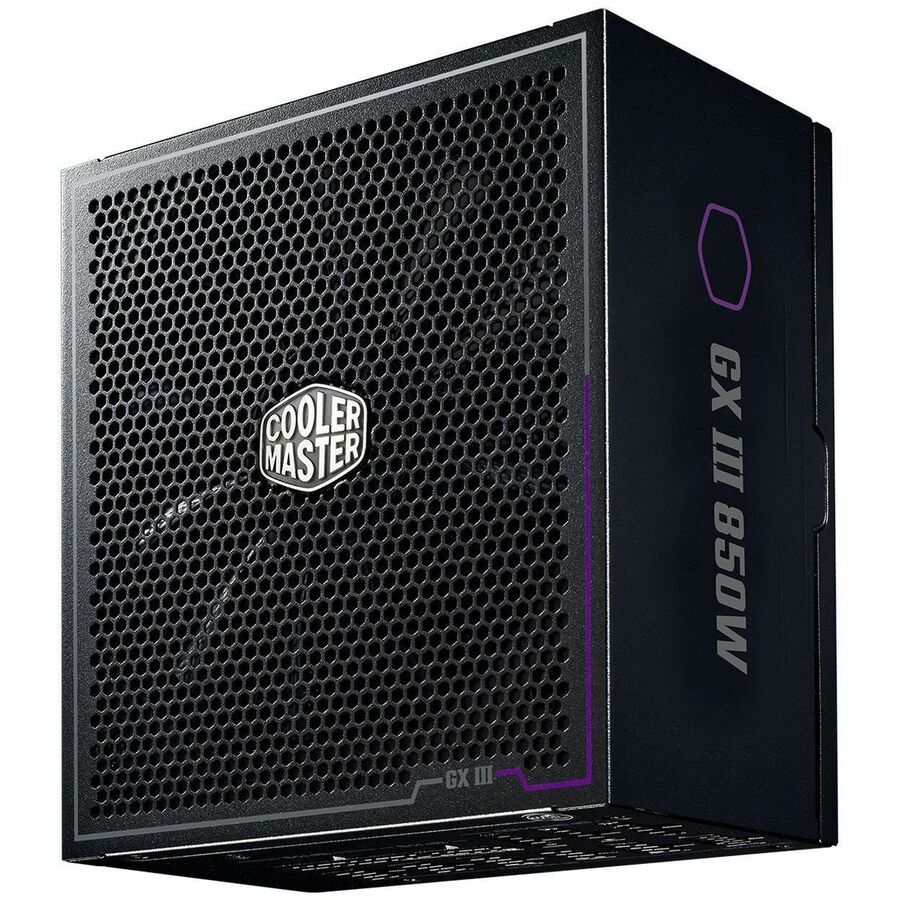
The Cooler Master MWE Gold 850W ($126.99) is fully modular and 80 PLUS Gold, so you are paying for capacity and efficiency as much as for the detachable cables. If you want modular cabling without the Gold premium, a non-modular Bronze unit like the MSI MAG A550BN 550W ($80.54) covers a mainstream single-GPU build for less — you just manage the fixed cables.
Does ATX 3.1 and the 12V-2x6 cable change the math for an RTX 50 GPU?
This is the one case where the cabling choice has a current, practical edge. The ATX 3.1 standard added the 12V-2x6 connector, the revised plug that feeds power-hungry modern GPUs through a single cable rated up to 600W. On a modular ATX 3.1 unit, you run one native 12V-2x6 cable straight from the PSU to the card.
That matters because of the connector-melting reports that have followed high-end NVIDIA cards. The cause is still disputed — some testing points to uneven current across the pins rather than the cable itself, and not every lab has reproduced the failures — but the consistent safe-handling advice is to use a native cable where you can, avoid adapters and sharp bends at the connector, and make sure the plug is fully seated. A native 12V-2x6 run removes the adapter's extra junctions, which is tidier and has fewer failure points.
The honest limit: this is about ATX 3.1 and native cabling, not modularity by itself. A non-modular ATX 3.1 unit ships a fixed native cable and is just as safe; a modular one simply lets you choose that one cable and leave the rest out. For a 300W-class card the bundled adapter is generally considered acceptable if it is in good shape and fully inserted — the stronger "native cable only" case is for 5080- and 5090-class draws near that 600W ceiling.
Who should buy which
- Buy non-modular if your build is a standard ATX tower with a PSU shroud, you want the most wattage and efficiency per dollar, and you do not care whether the interior looks tidy. A quality non-modular unit is not a compromise on power — only on cable management.
- Buy semi-modular if you want most of the tidiness benefit for the least extra money. The always-used cables stay fixed, the rest detach, and it is the sweet spot for the majority of builds.
- Buy fully modular if you are building in a small or glass-side case, you plan to run a native 12V-2x6 cable to a high-end GPU, or you want custom cables and the cleanest possible interior. This is the only group for whom the full premium clearly pays off.
Whatever you pick, size the wattage for your actual parts first — that calculation matters far more than the cabling. You can confirm a unit matches the rest of your components in our PC Builder, which flags wattage and compatibility as you add parts.