
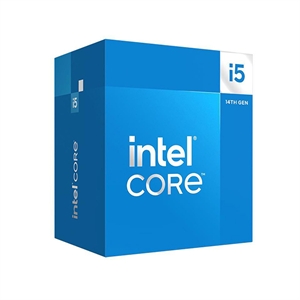
If your build is only for gaming, buy the Core i5-14600K and keep the difference. In games the 14600K and the i7-14700K land within a few percent of each other, because both run the same high-clocking P-cores and games lean on single-thread speed, where the two chips are separated by only about 6% (cpu-monkey). The 14700K earns its higher price in one place: heavy multi-core work, where its 20 cores post roughly 47% more Cinebench throughput than the 14600K's 14. At TechCortex it costs $86.84 more, runs a lot hotter, and needs a bigger cooler.
The spec sheet makes the i7 look like a clear step up — more cores, more cache, higher clocks. That framing is true for productivity and misleading for gaming. A frame rate is set by how fast a handful of threads run and by your graphics card, not by core count, so the two chips that share a P-core design end up trading blows on screen while pulling apart in Blender and video export.
Gaming performance
For gaming, these two are close enough that price, power, and cooling decide the pick — not the frame counter. Both chips top out with the same Raptor Lake P-core architecture, and the 14700K's P-cores clock only 0.3 GHz higher (5.6 vs 5.3 GHz boost). Games spread work across a few threads and lean on single-core speed, so the 14700K's roughly 6% single-thread advantage (cpu-monkey) is the most you'd ever see, and only in a CPU-limited scenario like 1080p with a top-end GPU.
Move up to 1440p or 4K — where most people running either of these actually play — and the graphics card becomes the limit. There the two deliver the same frame rate, because the CPU is no longer the bottleneck. cpu-monkey's own summary puts it plainly: for gaming the two "deliver similar performance since games prioritize single-core throughput."
The honest read: if a store or spec chart tells you the i7 is a big gaming upgrade over the i5, it's selling you cores that games don't use. The extra eight threads sit idle in most titles.
Multi-core and productivity
This is where the 14700K stops being a luxury and starts being worth the money. Its 20 cores / 28 threads (8 performance + 12 efficiency) posted 36,245 in Cinebench R23 multi-core against the 14600K's 24,683 (cpu-monkey) — about 47% more throughput. Cinebench 2024 tells the same story: 2,021 vs 1,388.
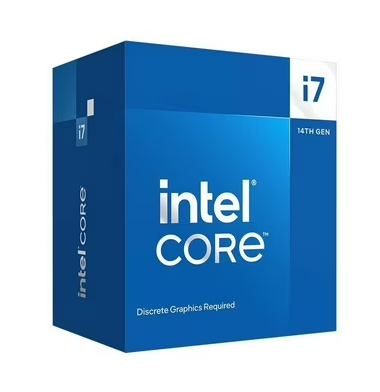
If you export video, render in Blender, compile large codebases, or stream with x264 CPU encoding while you play, that 47% is real time saved on every job. The 14700K also carries more L3 cache (33MB vs 24MB), which helps some production and simulation workloads. For a machine that games in the evening and does creator or developer work by day, the i7 is the chip that pays you back.
The 14600K is no slouch — 14 cores handle everyday multitasking and light content work fine — but six performance cores plus eight efficiency cores is a mainstream ceiling. Push it with sustained all-core rendering and the 14700K pulls clearly ahead.
Power, heat, and the cooler you'll actually need
The two don't share a thermal budget. The 14600K's max turbo power (PL2) is 181W; the 14700K's is 253W (cpu-monkey). That gap shows up as noise, heat, and money spent on cooling.
In XDA's testing the 14700K peaked at 279W during the Cinebench R23 multi-core run and reached its 100°C throttle point even on an NZXT Kraken 240mm AIO running at full fan speed — the reviewer called it "power-hungry" and "thermally prohibitive for many people" (XDA). The takeaway isn't that the 14700K can't be cooled; it's that it wants a strong 280–360mm AIO or a top-tier dual-tower air cooler to hold clocks under sustained load, and that cooler is part of its real cost.
The 14600K is far easier to live with. It's happy under a good mid-range tower air cooler, which keeps the build cheaper and quieter. If you're deciding how much cooling to buy, our air cooler vs AIO breakdown covers what each actually buys you.
Specs and price side by side
| Core i5-14600K | Core i7-14700K | |
|---|---|---|
| Cores / threads | 14 (6P + 8E) / 20 | 20 (8P + 12E) / 28 |
| P-core max boost | 5.3 GHz | 5.6 GHz |
| L3 cache | 24 MB | 33 MB |
| Max turbo power (PL2) | 181 W | 253 W |
| Cinebench R23 multi | 24,683 | 36,245 |
| Cinebench R23 single | 2,097 | 2,228 |
| Gaming | baseline | ~within a few % |
| Socket | LGA1700 (retired) | LGA1700 (retired) |
| TechCortex price | $369.98 | $456.82 |
Both sit on LGA1700, and 14th Gen is the last CPU generation Intel shipped for that socket — Arrow Lake moved to LGA1851. Whichever you pick, the board is a dead end for future Intel upgrades, so plan the build as a complete unit rather than a stepping stone. Either chip may need a BIOS update before a new board posts it; see our note on updating BIOS for a new CPU.
Who should buy which
- Buy the Core i5-14600K if the machine is for gaming, or gaming plus everyday tasks. You get the same in-game experience as the i7 in the vast majority of setups, a cheaper and cooler build, and $87 left over — money better spent on a faster GPU or more storage than on cores games won't touch.
- Buy the Core i7-14700K if you regularly render, encode, compile, or stream with CPU encoding. The extra 47% multi-core throughput is worth real money there, and you're prepared to pay for a stronger cooler to feed it.
One more honest point: if gaming is the whole reason for the build, neither Intel chip is the frame-rate king. Tom's Hardware's 14th-gen review is literally subtitled "Ryzen X3D Stays On Top" (Tom's Hardware), because AMD's 3D V-Cache parts lead in games. It's worth comparing the 14700K against one directly in our Ryzen 7 7800X3D vs Core i7-14700K matchup before you commit.
Not sure how either fits the rest of your parts? Build the whole system with compatibility checks in our PC Builder, and if you're weighing gaming chips more broadly, see our best CPU for 1440p gaming guide.