
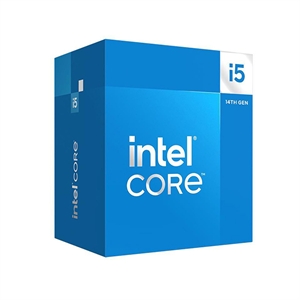
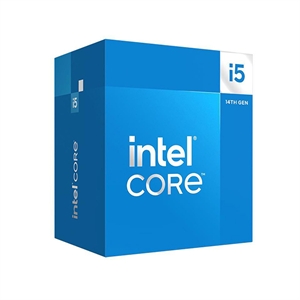
If the build is only for gaming, buy the Core i5-14500 and spend the $67 you save on a better GPU. These two chips share the same 14-core layout (6 performance + 8 efficiency cores) and the same 24 MB L3 cache, so in games they land close together: the 14600K's single-core lead over the 14500 is about 8% (cpu-monkey), and that only shows up in a CPU-limited 1080p scenario. The Core i5-14600K earns its higher price in two places that have nothing to do with frame rate: it can be overclocked, and it posts about 21% more multi-core throughput for rendering and video work.
The spec sheet makes the K look like the obvious pick — higher base clock, higher boost, "unlocked." Two of those three facts barely touch gaming. Both chips run the same P-core architecture and the same single-threaded ceiling matters far more to games than base clock or core count, which is why a $67 price gap buys so little on screen.
Gaming performance
For gaming these two are close enough that price and cooling decide the pick, not the frame counter. Both top out on the same Raptor Lake P-cores, and the 14600K boosts only 0.3 GHz higher — 5.3 GHz vs 5.0 GHz (Intel ARK). Games spread work across a few threads and lean on single-core speed, so the 14600K's roughly 8% single-thread edge is the most you'd ever see on screen, and only in a CPU-limited case like 1080p with a high-end graphics card.
Move up to 1440p or 4K — where most people running an i5 and a mainstream GPU actually play — and the graphics card becomes the limit. There the two deliver the same frame rate, because the CPU is no longer the bottleneck. cpu-monkey's own summary is honest about it: the 14600K "offers slightly better performance thanks to higher clock speeds and the possibility of overclocking" (cpu-monkey) — "slightly" being the operative word.
The plain read: if a spec chart tells you the K is a real gaming upgrade over the 14500, it's selling you clock headroom that a GPU-bound game never cashes in.
Multi-core and overclocking: where the K earns it
This is where the 14600K stops being optional. Both chips carry 14 cores and 20 threads, but the K runs them at higher sustained clocks and can be pushed further, which is worth about 21% more multi-core throughput in demanding workloads like rendering and video editing (cpu-monkey). If you export video, render in Blender, compile large projects, or stream with CPU encoding, that 21% is real time saved on every job.
The other half of the K is the unlocked multiplier. On a Z790 board you can tune voltage and clocks; the 14500 is locked to Intel's stock behavior on any chipset. If overclocking isn't something you'll actually do — and for most people it isn't — that's money spent on a door you'll never open.
Power, heat, and the cooler you'll actually need
The two don't share a thermal budget. The 14500 is a 65 W base / 154 W max-turbo part; the 14600K is 125 W base / 181 W max turbo (Intel ARK). In practice that means the 14500 is content under a modest tower cooler, while the 14600K wants a solid aftermarket cooler to hold its boost clocks under sustained load. A capable tower like the PCCOOLER RT500 Air Cooler handles the K comfortably, and our air cooler vs AIO breakdown covers when liquid is worth it. Factor that cooler into the K's real cost: the gap is a little wider than the $67 sticker.
Specs and price side by side
| Core i5-14500 | Core i5-14600K | |
|---|---|---|
| Cores / threads | 14 (6P + 8E) / 20 | 14 (6P + 8E) / 20 |
| P-core max boost | 5.0 GHz | 5.3 GHz |
| L2 / L3 cache | 20 MB / 24 MB | 20 MB / 24 MB |
| Base power / max turbo | 65 W / 154 W | 125 W / 181 W |
| Memory support | DDR5-4800 / DDR4-3200 | DDR5-5600 / DDR4-3200 |
| Overclocking | Locked | Unlocked |
| Single-core (relative) | baseline | ~8% faster |
| Multi-core (relative) | baseline | ~21% faster |
| TechCortex price | $302.57 | $369.98 |
Specs from Intel ARK; relative performance from cpu-monkey.
Both sit on LGA1700, and 14th Gen is the last CPU generation Intel built for that socket — Arrow Lake moved to LGA1851. Whichever you pick, the board is a dead end for a future Intel drop-in upgrade, so plan the build as a finished unit rather than a stepping stone. A mainstream B760 board such as the Asus TUF Gaming B760-PLUS WIFI ($226.64) suits the 14500 fine; the K only needs a Z790 board if you intend to overclock.
Update the BIOS first: the Raptor Lake stability fix
Both chips are Raptor Lake, the family hit by the well-documented Vmin Shift instability that caused crashes on some 13th- and 14th-Gen parts. Intel traced the root cause to a clock-tree circuit requesting too much voltage and shipped a final microcode fix, 0x12B, delivered through motherboard BIOS updates (Tom's Hardware). Intel has since confirmed the issue is resolved and that no further microcode updates are planned (VideoCardz).
The practical step: flash your board to its latest BIOS before first boot so the 0x12B microcode is in place. If you're new to that, our guide on updating BIOS for a new CPU walks through it.
A note on timing and price
Intel has signaled another round of desktop CPU price increases heading into late 2026 (PCGamesN), so the prices above may not hold. That doesn't change the verdict — the 14500 is still the better gaming value of the two — but it does argue against waiting if one of these is already the chip you want. Both ship from Florida.
Who should buy which
- Buy the Core i5-14500 if the machine is mainly for gaming, or gaming plus everyday tasks. You get the same in-game experience as the K in the vast majority of setups, a cheaper and cooler build, and $67 left over — better spent on a faster GPU, which actually moves frame rates.
- Buy the Core i5-14600K if you regularly render, encode, or compile, or you genuinely plan to overclock. The 21% multi-core lead and the unlocked multiplier are worth paying for there — just budget for the stronger cooler it wants.
If your workload leans even harder on cores, it's worth seeing what the next step up buys before you commit — our Core i5-14600K vs i7-14700K matchup covers that jump. For the wider entry-level picture across both brands, see our best budget CPUs: Intel vs AMD guide, and to balance CPU spend against the rest of a gaming build, our best CPU for 1440p gaming breakdown. When you're ready to put it together, the PC Builder checks compatibility as you go.