
For most gamers, 1440p is still the better buy, and 4K is worth it only if you have both a top-tier graphics card and a reason to want the sharpness more than the speed. 4K (3840x2160) draws 8.3 million pixels against 1440p's 3.7 million — 2.25 times as many — and that extra load costs the same GPU roughly 40% of its frame rate. You are paying twice: once for the monitor, and again for the much stronger card you need to drive it.
The trap is the sticker price of the panel. You can buy a 32-inch 4K monitor for about the same money as a good 1440p one, so 4K looks like a cheap upgrade. It is not, because the Asus VP327Q ($339.99) and screens like it run at 60Hz. A 4K monitor that also keeps the high refresh rate gamers actually want jumps to a completely different price bracket — and then the GPU bill lands on top.
The frame-rate cost: 4K roughly doubles the GPU workload
Resolution is a pixel-count problem, and pixel count is close to linear on the GPU. Going from 1440p to 4K raises the pixels your card shades every frame from 3.7 million to 8.3 million. That is why the same graphics card posts very different numbers at the two resolutions.
Tom's Hardware's RTX 4070 Ti review is a clean example: across its test suite the card averaged close to 120 fps at 1440p and dropped to about 69 fps at 4K — roughly 40% fewer frames from the identical hardware (Tom's Hardware). The gap holds across generations because it is baked into the resolution, not the chip.
The honest read: a card that gives you a smooth 120+ fps at 1440p can fall to the 60s or 70s at 4K in the same games. If a high, stable frame rate is what you care about, 4K asks you to give a large chunk of it back.
The two prices of 4K: the panel and the GPU behind it
A 4K monitor by itself is not expensive anymore. The Asus VP327Q is a 32-inch 4K screen at $339.99, and the color-focused ProArt PA279CRV is $539.99. Both are excellent for a sharp desktop, photo work, or slow, cinematic single-player games. Both are also 60Hz.
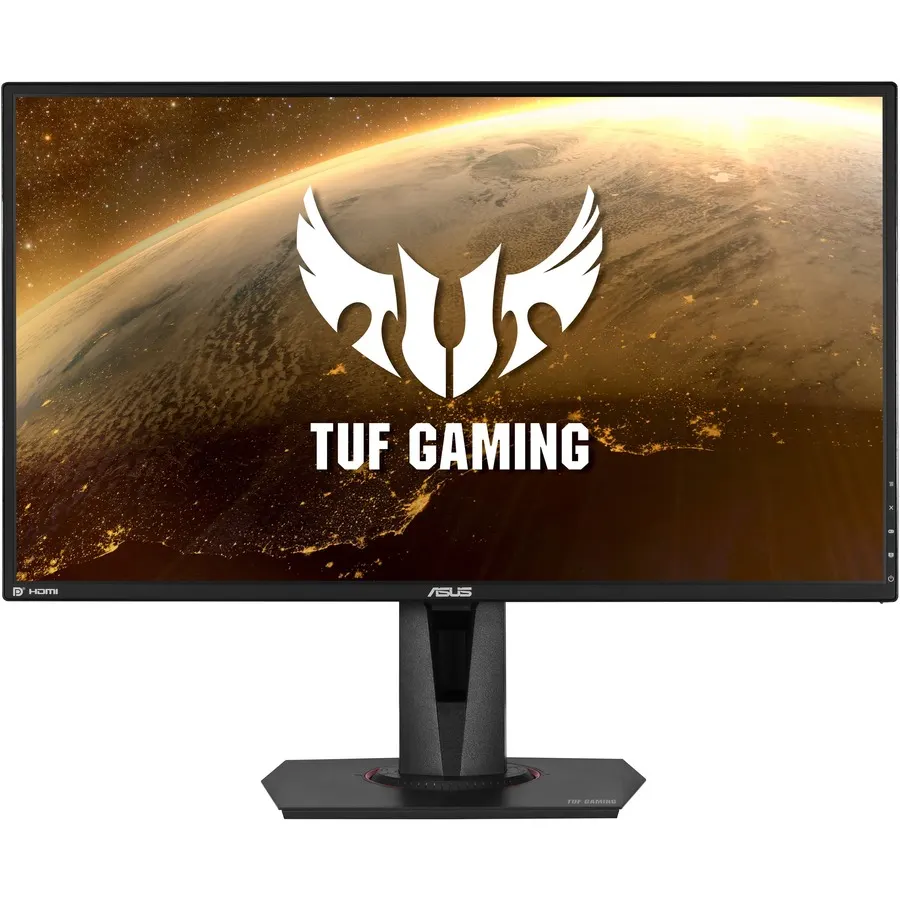
For anything fast — shooters, racing, fighting games — 60Hz is a step down from a 1440p 165Hz panel, not up. A 4K monitor that keeps a gaming-grade refresh rate is the Asus ROG Swift PG32UCDM, a 32-inch 4K 240Hz OLED at $1,359.99 — over four times the price of the Asus TUF VG27AQ, a 27-inch 1440p 165Hz IPS at $319.99.

Then comes the second bill. Feeding a 4K panel at 60 fps native takes a card around the RX 9070 XT ($1,045.60), which Tom's Hardware calls the cheapest way into native 4K 60 (Tom's Hardware). Feeding a 4K high-refresh screen so the 240Hz is not wasted pushes you toward an RTX 5080 ($2,117.30) — and even that dips near 40 fps in the most demanding native-4K titles (Tom's Hardware). At 1440p, an RX 9070 ($957.72) already delivers high-refresh gaming without that ceiling.
Sharpness: real, but with diminishing returns at 27 inches
The picture genuinely gets sharper. On a 27-inch monitor, 1440p works out to about 109 PPI, and 4K raises that to 163 PPI. Text edges tighten and fine detail firms up. Stretch 4K to a 32-inch panel and it settles around 138 PPI — still sharper than 1440p, just less dramatically.
Two things temper that gain. First, at a normal 24–30 inch viewing distance the return per extra pixel shrinks; 1440p at 109 PPI is already clean enough that many people stop noticing individual pixels (RTINGS). Second, sharpness only fully shows in still or slow scenes. In fast motion — exactly where high refresh matters — a 165Hz 1440p image often looks better than a 60Hz 4K one, because motion clarity is doing more work than pixel density.
4K also leans harder on VRAM, since higher-resolution textures and framebuffers eat more memory. If you are weighing a card with 8GB against one with 12GB or 16GB for 4K, that gap matters — we cover it in How Much VRAM Do You Need for Gaming.
Where upscaling changes the math — and where it doesn't
Modern upscaling (DLSS, FSR) makes 4K far more reachable than it was a few years ago, because it renders internally at a lower resolution and reconstructs a 4K image. It genuinely helps, and 4K is where upscalers look their best, since they have more output pixels to work with (Tom's Hardware).
The honest caveat: upscaled 4K is not native 4K, and it is not free performance. You are trading some image reconstruction for frames, and competitive players often turn it off to keep latency low. Upscaling narrows the gap between 1440p and 4K — it does not erase the extra GPU you need to buy.
Who should buy which
- Buy 1440p if you want the best frames-per-dollar, play anything competitive or fast-paced, or your GPU is mid-range. A 1440p 165Hz panel plus a card like the RX 9070 is the sweet spot most builders should land on, and it pairs cleanly with the resolution step below it — see 1440p vs 1080p Gaming.
- Buy 4K if you play story-driven, visually rich single-player games, you already own or plan to buy an RX 9070 XT or stronger card, or the machine doubles as a photo, video, or design workstation where desktop sharpness and color pay off every day.
- Skip cheap 4K for fast gaming. A 60Hz 4K monitor is a productivity screen that also plays slow games. For shooters and racers, that $339.99 is better spent on a high-refresh 1440p panel.
When you are ready to match the card to the resolution with compatibility checked automatically, spec the whole system in our PC Builder. If the CPU side is still open, Best CPU for 1440p Gaming in 2026 covers where extra cores stop helping.