
For gaming in 2026, buy 8GB only if you play at 1080p and mostly esports or older titles, 12GB as the realistic minimum for new AAA games at 1080p–1440p, and 16GB if you want ray tracing, high textures, or a card that lasts three or four years. VRAM is not a "more is always faster" number: once a game fits in the memory you have, extra gigabytes add zero frames. The problem is what happens when a game doesn't fit — and modern games run out on 8GB cards more often than they did two years ago.
The reason this question keeps coming up is that GPU makers still sell 8GB cards at prices that feel mid-range, while the games those cards target have quietly outgrown 8GB. So the honest answer depends less on the sticker and more on what and where you play.
What VRAM actually does
VRAM (video memory) holds the textures, frame buffers, and geometry your GPU is working on right now. When a game needs more than the card has, it can't just slow down gracefully — it has to swap data in and out over the much slower PCIe bus. That shows up as texture pop-in, sudden frame-time spikes, and collapsing 1% lows, not a clean drop in average FPS.
This is why VRAM problems are easy to miss on a spec sheet and obvious the moment you play. A card can post a fine average frame rate while stuttering every few seconds because it keeps overflowing its buffer. The average hides the pothole; the 1% lows don't.
The flip side matters just as much: below the limit, VRAM does nothing for performance. Two cards with the same GPU and different memory perform identically until a game demands more than the smaller one holds. That's the trap in "16GB must be faster" — it's only faster when 8GB isn't enough.
8GB in 2026: fine, until it isn't
Eight gigabytes is not dead. At 1080p, in esports titles and the large back catalog of games that predate the current texture arms race, an 8GB card delivers essentially the same experience as a 16GB one. AMD effectively conceded the positioning when it defended 8GB cards as being primarily for esports players, per TechSpot — a fair description of where 8GB still makes sense.
Where 8GB struggles is new AAA games at high textures. Reviewers found the 8GB RTX 5060 Ti matches its 16GB twin in most raster tests but falls behind specifically with DLSS 4, ray tracing, and ultra texture settings. Even at 1080p, the ultra texture preset in several 2025 titles needs more than 8GB to render every texture at full quality — the resolution isn't the issue, the asset budget is.
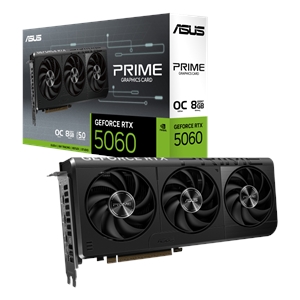
In our catalog the affordable 8GB options are the Asus RTX 5060 8GB at $617.77 and the Asus RTX 5060 Ti 8GB at $695.14. Both are genuinely good 1080p cards. Buy one if 1080p is where you live and you're comfortable turning textures from Ultra to High in the handful of games that demand it — a setting that usually costs little visual quality and a lot of stability.
Skip 8GB if you plan to game at 1440p, you care about ray tracing, or you want to buy once and not think about VRAM again for several years.
12GB and 16GB: what the extra memory buys
At 1440p, the memory math changes. Modern AAA games at high or ultra settings routinely push past 8GB, and ray tracing adds several hundred megabytes to a gigabyte on top of that. Twelve gigabytes is the amount that keeps you out of trouble at 1440p today; 16GB is the amount that keeps you out of trouble as games keep growing.
The important nuance: 16GB is insurance, not free speed. On the same GPU, the larger buffer only wins in the games that actually overflow 8GB — and in those, it wins convincingly (the ~22% ray-tracing gap above). In everything else, you paid for headroom you didn't spend. Whether that's worth it depends entirely on how long you keep a card. For a three-to-four-year hold, the headroom is cheap insurance. For a card you'll replace in 18 months, it may be money better spent on a faster GPU.
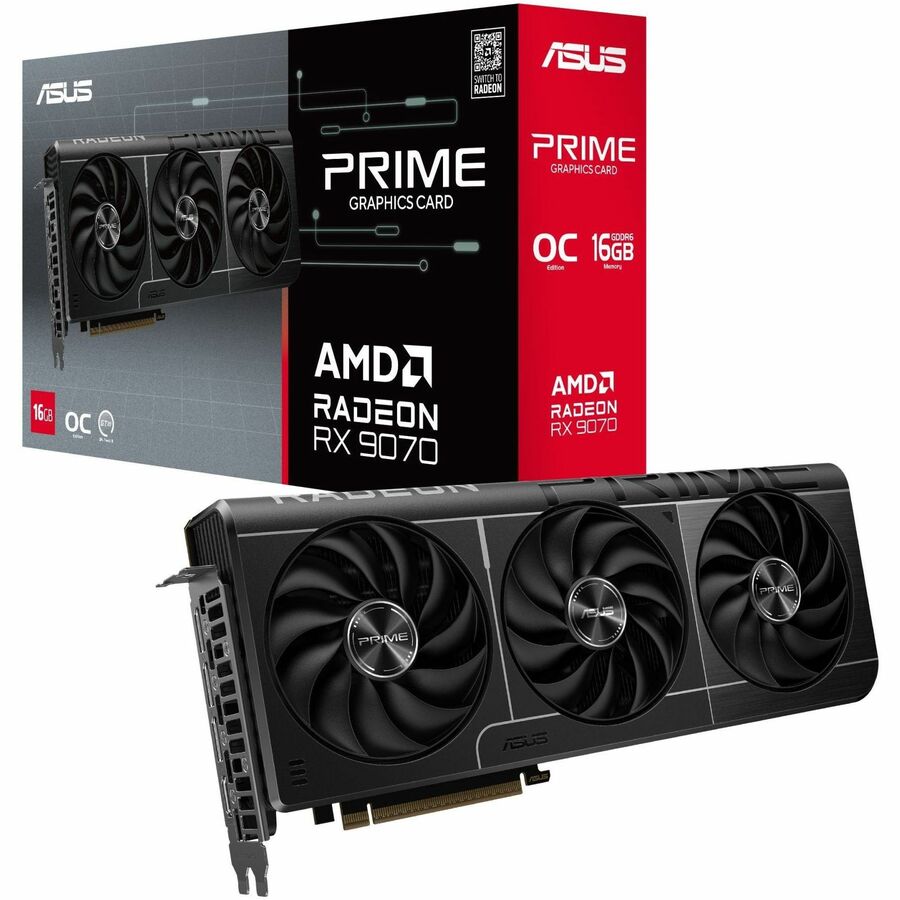
In stock, the realistic step up to 16GB is the Asus Radeon RX 9070 16GB at $957.72 or the RX 9070 XT 16GB at $1,045.60 — both aimed at 1440p with room to spare. At the high end, the RTX 5080 16GB at $2,117.30 pairs 16GB with enough compute for 4K. Note the honest gap in the middle: there isn't a cheap 16GB card sitting just above the 8GB 5060s right now, so moving from 8GB to 16GB is a real price jump, not a $50 upsell.
How much VRAM for your resolution
| Resolution / use | Comfortable VRAM | Notes |
|---|---|---|
| 1080p esports / older games | 8GB | No practical benefit from more |
| 1080p new AAA, high textures | 12GB | 8GB works with textures dialed back |
| 1440p high/ultra | 12GB minimum | 16GB for ray tracing and longevity |
| 4K, or heavy ray tracing | 16GB+ | Frame buffer and RT structures add up |
| Modded games, large texture packs | 16GB+ | Mods ignore the developer's memory budget |
If you're picking parts around a target resolution, the PC Builder checks GPU compatibility with the rest of your build as you go, so you can match the card to the CPU and power supply without cross-referencing spec sheets. And if you're still deciding between two specific cards, our RTX 5060 vs RTX 5060 Ti and RX 9070 vs RX 9070 XT breakdowns go deeper on the trade-offs.
The honest limit of "future-proofing"
It's tempting to buy the most VRAM you can afford and call it future-proofing. That logic only half works. A big frame buffer protects you from running out of memory, but it does nothing for raw rendering speed. A 16GB card with a weak GPU will still crawl in a demanding game long before it runs out of VRAM — you'll be dropping settings for frame rate, not for memory. Balance matters more than any single number: enough VRAM to avoid stutter, paired with a GPU fast enough to hit your target frame rate. Buying 16GB on too slow a chip solves a problem you didn't have.