
Buy 1440p if your graphics card is roughly an RTX 5070 or RX 9070 and up and you play single-player and AAA games. Stay at 1080p if your GPU is RTX 5060-class or below, or if you play competitive shooters and want the highest frame rate you can get. The reason is a straight trade: 1440p draws about 78% more pixels than 1080p, and on the same GPU that costs you roughly 25-35% of your frame rate in demanding games. Whether that trade is worth it depends entirely on whether your GPU has frames to spare.
The picture upgrade is real and it is not just resolution. At the same 27-inch panel size, 1080p spreads about 82 pixels per inch across the screen while 1440p packs about 109 — sharper text, cleaner edges, and less of the softness that makes a 27-inch 1080p monitor look stretched from normal desk distance. The question is never "does 1440p look better." It does. The question is whether your GPU can pay for it.
The frame-rate cost is fixed; whether it hurts is not
The pixel math never changes. 1440p is 3,686,400 pixels per frame against 1080p's 2,073,600 — 78% more work for the GPU on every single frame it draws. What changes is whether your card notices.
In a GPU-bound game — a modern AAA title at high settings where the graphics card is the bottleneck — that extra work lands directly on your frame rate. TechSpot's resolution testing puts the typical drop from 1080p to 1440p at roughly 25-35% depending on the game and card (TechSpot). If you were running 100 FPS at 1080p, expect something in the 65-75 range at 1440p on the same hardware.
But not every game is GPU-bound. In a fast esports title where you are already sitting at 250 FPS, your CPU or your monitor is the limit long before the GPU is, so 1440p costs you very little there. That is the same effect reviewers see at the top of the stack: a flagship card is often CPU-limited at 1080p, so bumping it to 1440p barely dents its frame rate — it was leaving performance on the table at the lower resolution anyway (TechSpot).
The takeaway is not "1440p is expensive." It is "1440p is expensive on a mid-range GPU in demanding games, and nearly free on a strong GPU or in light ones."
Which resolution your GPU is built for
The cleanest way to choose is to start from the card you own or plan to buy, not the monitor.
For 1080p, the bar is low in 2026. Roughly any current-generation card from the RTX 5060 on up delivers high-refresh 1080p without leaning on upscaling or frame generation (TechSpot). That is why the RTX 5060, at $617.77 in our catalog, pairs naturally with a fast 1080p panel — it has the frames to feed a 144Hz screen in most titles, but not the headroom to give you the same experience one resolution up.
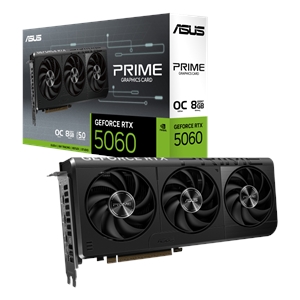
For 1440p high-refresh, the same source puts the entry point around an RTX 5070 or RX 9070 (TechSpot). The RX 9070, at $957.72 in our catalog, is the card that makes a 1440p 165Hz monitor make sense: it has the raw throughput to absorb the 78% pixel penalty and still land in high-frame-rate territory in most games. Drop below that tier and 1440p starts forcing compromises — medium settings or heavy upscaling — that eat into the visual gain you paid for.
There is no shame in a mid-range card at 1080p. There is a real cost in pairing that same card with a 1440p screen and then spending the next two years turning settings down to claw back frames.
The monitor side: size, refresh, and price
The GPU decides whether 1440p is playable; the monitor decides what you actually see, and the two decisions interact.
Panel size is the part people miss. On a 24-inch monitor, 1080p is genuinely sharp (about 92 PPI) and 1440p is a modest upgrade. On a 27-inch monitor — the size most gaming displays have settled on — 1080p drops to about 82 PPI and starts to look soft, while 1440p sits at a crisp 109 PPI. If you are buying a 27-inch screen, that softness is the strongest argument for 1440p, separate from anything about frame rates.
Refresh rate is where 1080p keeps an edge. Because 1080p is cheaper to drive, both the panels and the GPUs that feed them reach higher refresh rates for less money. A competitive player chasing 240Hz or more gets there far more cheaply at 1080p, and the lower resolution is exactly what lets a mid-range card hit those numbers.
In our catalog the gap is concrete: a 27-inch 1080p 146Hz IPS gaming panel (ASUS TUF VG279QE5A) runs $199.99, while the 27-inch 1440p 165Hz IPS equivalent (ASUS TUF VG27AQ) is $319.99 (ASUS VG279QE5A, ASUS VG27AQ).
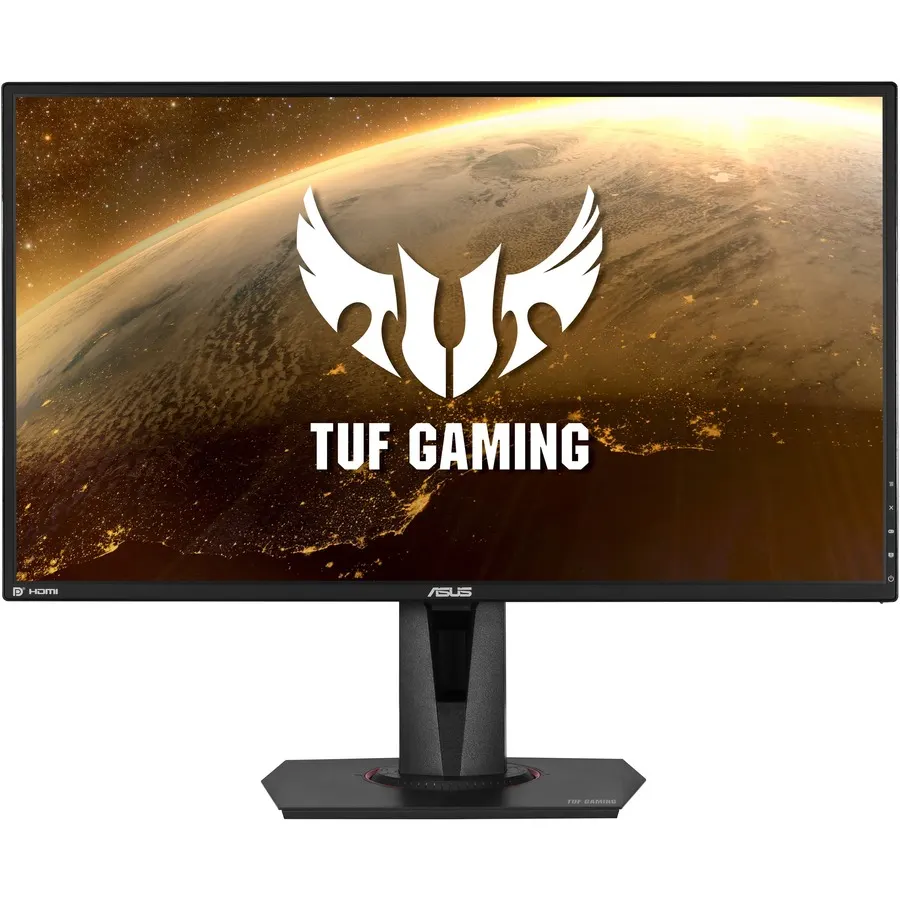
The $120 monitor difference is the small part. The expensive part is the GPU that has to keep the 1440p panel fed, which is why the honest budgeting order is GPU first, monitor second.
Where 1440p is the wrong buy
The case against 1440p is specific, and it is worth being blunt about because the sharper picture makes it tempting past the point where it makes sense.
Skip 1440p if your GPU is RTX 5060-class or below and you play demanding games. You will spend more on the monitor and then run those games at lower settings or with aggressive upscaling to hold a playable frame rate — trading away image quality to reach a resolution you bought for image quality. A 1080p panel and settings turned up is the better-looking result on that hardware.
Skip 1440p if you are primarily a competitive-FPS player. The frames you give up at 1440p are frames you actually use, and the higher, cheaper refresh rates available at 1080p matter more to you than pixel density.
Everyone else — single-player, AAA, mixed libraries, on an RTX 5070 / RX 9070-class card or better — is exactly who 1440p is for. You can spec the whole build, GPU and all, with automatic compatibility checks in our PC Builder, and if you are still deciding between graphics cards, our RTX 5060 vs RTX 5060 Ti and RX 9070 vs RX 9070 XT breakdowns cover the two tiers on either side of the 1440p line.