

For a dedicated gaming display where you play in a dim room and price is not the deciding factor, buy OLED — it delivers near-instant 0.03ms pixel response and perfect per-pixel blacks that no IPS panel can match. For a bright, sunlit room, a desk that doubles as a workstation, or any budget under roughly $500, buy IPS: it is brighter across the whole screen, has no burn-in risk, and renders text cleanly. The panel is the biggest single choice you make in a monitor, and unlike resolution or refresh rate, you cannot change it later.
The confusion comes from spec sheets that only tell the flattering half. OLED's 0.03ms and "infinite contrast" are real, but so is a full-screen brightness that drops the moment most of the panel lights up, and a burn-in clock that starts the first time you leave a HUD on screen for hours. IPS looks unremarkable on paper and then quietly does everything well for a quarter of the price.
Motion and response time
This is OLED's clearest, least-arguable win. OLED pixels change state almost instantly, which is why the Asus ROG Swift PG32UCDM's QD-OLED panel is rated at 0.03ms GtG (TFTCentral). There is essentially no smearing behind moving objects, even at 240Hz.
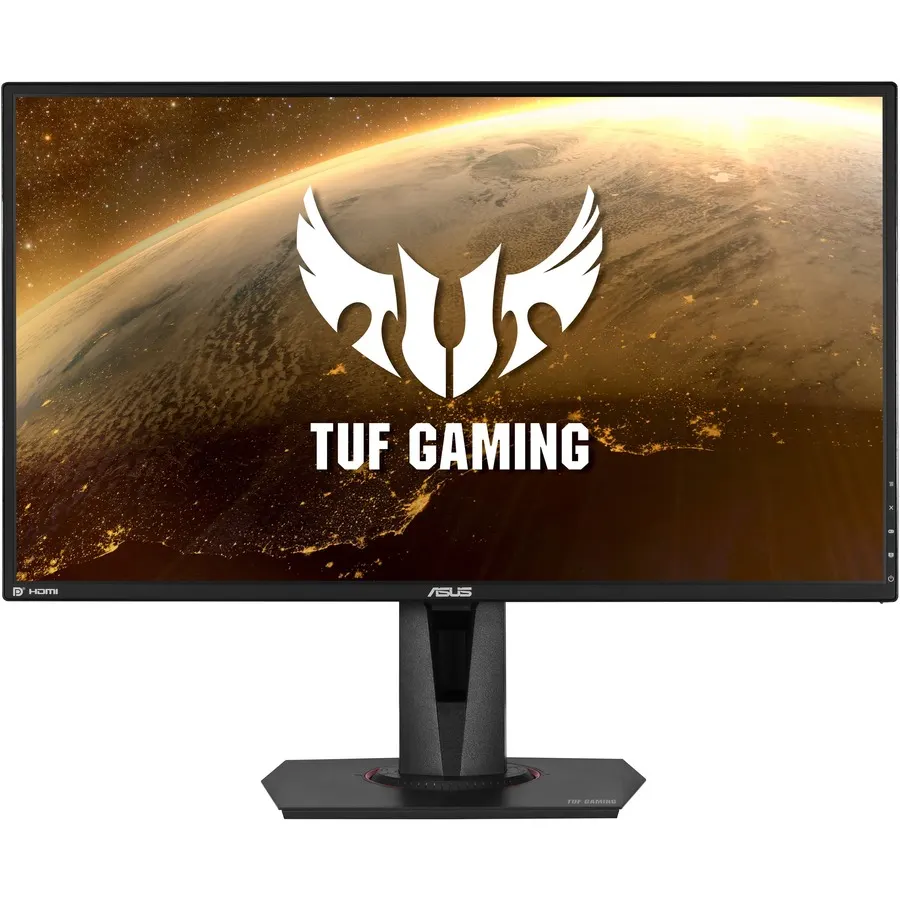
IPS is slower but not slow. The Asus TUF VG27AQ carries a 4ms GtG spec, with its 1ms figure applying only when the ELMB backlight-strobing mode is active (TFTCentral, TechSpot). In practice, a good IPS at 144–165Hz already looks clean; the jump to OLED is visible in a side-by-side motion test but almost never changes whether you win a gunfight.

| OLED (PG32UCDM) | IPS (VG27AQ) | |
|---|---|---|
| Panel | QD-OLED | Fast IPS |
| Response (GtG) | ~0.03ms | 4ms (1ms MPRT) |
| Contrast | Effectively infinite | ~1,000:1 |
| Full-field brightness | Limited by ABL | Consistent |
| Burn-in risk | Yes | None |
Contrast and HDR
OLED's other decisive win is contrast. Because every pixel is its own light source and can switch fully off, blacks are truly black and sit right next to bright highlights with no halo. That is what makes a starfield, a night level, or an HDR explosion look the way it does — IPS physically cannot reproduce it, because its backlight always leaks some light through, capping contrast near 1,000:1 and producing the gray "IPS glow" you see in dark scenes from an angle.
For HDR content in a dark room, OLED is the better display, full stop. The caveat is what "HDR brightness" actually means on OLED, which is the next section.
Brightness in a real room
Here the marketing number and the lived experience diverge. The PG32UCDM does hit its rated ~1,000 nits — but only on a 2% window (a tiny bright object on a dark field). Light up 10% of the screen and it measures around 480 nits, and it keeps dropping as average picture level rises, because QD-OLED uses an Automatic Brightness Limiter to protect the panel (TFTCentral).
That is fine for gaming in a dim room. It is less fine for a full white browser window in a sunlit office, where a mid-range IPS holding a steady 300–400 nits across the entire screen can simply look brighter and more comfortable. If your monitor lives under a window or doubles as your work display eight hours a day, this is the trade-off that matters most — and it is the one spec sheets never lead with.
Burn-in and text clarity: the OLED tax
Two OLED downsides have no IPS equivalent, and both are reasons to think twice.
Burn-in is permanent. Leave a static element — a game HUD, a Windows taskbar, a stream chat, a spreadsheet grid — on screen for thousands of hours and those pixels wear unevenly, leaving a ghost you can't remove. Modern OLEDs fight it with pixel-refresh cycles and logo dimming, and premium models ship a 3-year burn-in warranty (RTINGS) — but a warranty exists because the failure mode is real. IPS simply does not have this clock.
Text can fringe. The PG32UCDM's QD-OLED uses a triangular subpixel layout that Windows' ClearType font rendering wasn't built for, so small black-on-white text can show faint color fringing at the edges. It's a non-issue in games and video; it's a real annoyance if you read and write on the screen all day. Samsung has started shipping a vertical "V-Stripe" QD-OLED layout to fix exactly this, but it isn't in most current panels yet (Tom's Hardware). On IPS with its standard RGB stripe, text is crisp by default.
Price and what's in stock
The price gap is the honest gatekeeper. In our catalog the OLED option — the Asus ROG Swift PG32UCDM, a 32" 4K QD-OLED at 240Hz — is $1,359.99. A capable 1440p/165Hz IPS, the Asus TUF VG27AQ, is $319.99.
That is not a like-for-like comparison — the OLED is larger, sharper, and faster — but it frames the decision correctly. OLED is a premium tier, not a drop-in swap. If you're spending $300–$500, you are choosing between good IPS panels, and that is a perfectly good place to be. If your budget clears four figures and the display is mostly for games, OLED is where the money goes.
Who should buy which
- Buy OLED if you game in a light-controlled room, care about HDR and dark-scene contrast, keep monitors only a few years, and your budget clears roughly $1,000. It is the better gaming picture, no contest.
- Buy IPS if your room is bright, the monitor doubles as a work/desktop display with lots of static UI and text, you want zero burn-in worry, or you're building around a sensible budget. You give up perfect blacks; you get brightness, longevity, and clean text for a quarter of the price.
Pairing the panel with the right resolution and refresh rate matters just as much — see 1440p 144Hz vs 4K 60Hz and 60Hz vs 144Hz for how those trade against your GPU. When you've picked the display, you can spec the rest of the machine around it in our PC Builder with automatic compatibility checks.