
For a typical US gaming PC, an 80 Plus Gold power supply saves you only about $6 to $9 a year on electricity over a Bronze unit of the same wattage — so the efficiency badge, on its own, almost never justifies the higher price. Buy Gold for the things that actually protect your build: quieter operation, less waste heat, and usually better internal parts and a longer warranty. A well-built Bronze unit from a reputable maker is a better buy than a cheap "Gold" one, because the rating measures efficiency, not quality.
The question exists because the badge gets sold as an energy-saver. Listings put "80 Plus Gold" next to a higher price and let you assume the gap comes back on your power bill. At real gaming loads and real US electricity rates, it mostly doesn't — and the parts of the PSU that decide whether your GPU survives a fault aren't graded by the badge at all.
What the 80 Plus badge actually certifies
80 Plus is an efficiency test, run by CLEAResult, that measures how much of the power drawn from the wall a PSU delivers to your components versus how much it wastes as heat. A unit is checked at three points — 20%, 50%, and 100% of its rated load — and must clear the threshold at each to earn its tier (CLEAResult).
For the standard tiers tested at 115V (the North American grid voltage), the numbers look like this:
| Load | Bronze | Gold |
|---|---|---|
| 20% | ≥82% | ≥87% |
| 50% | ≥85% | ≥90% |
| 100% | ≥82% | ≥87% |
Read the gap honestly: at the 50% load where most gaming PCs spend their time, Gold wastes about 10% of the incoming power as heat and Bronze wastes about 15%. That 5-point difference is real, but it is a difference in waste heat, not a difference in the power your PC gets to use.
What the badge does not test matters more than most buyers realize. It ignores voltage ripple, hold-up time, and the over-current and short-circuit protections that decide what happens when something goes wrong — the reason PSU reviewers increasingly point to more rigorous programs like Cybenetics alongside the 80 Plus label. A Gold sticker on a poorly built unit is a Gold sticker on a poorly built unit.
What the efficiency gap actually costs
Run the math with stated assumptions, because "Gold saves you money" is meaningless without them.
Take a mid-range gaming PC that pulls about 350W from the PSU under gaming load — a Ryzen 7 and an RTX 5070-class card, roughly. On a 650W unit that is about 54% load, right in the efficiency sweet spot.
- Bronze at 85%: draws 350 / 0.85 = 412W from the wall.
- Gold at 90%: draws 350 / 0.90 = 389W from the wall.
- Difference: about 23W while gaming.
Game 4 hours a day, every day, and that 23W adds up to roughly 33 kWh a year. At the US residential average of about 18¢/kWh (EIA), that is close to $6 a year. Add the smaller gap during desktop and idle hours and you land under $10 a year on this usage.
Now weigh that against the price. In our catalog, the Bronze MSI MAG A650BN runs $89.98 and the Gold MSI MAG A650GL runs $115.27 — a $25.29 premium. At about $6 to $9 of savings a year, the Gold unit takes three to four years of daily gaming just to break even on electricity. Play half as much, and it never really does.
That is the honest negative: if your only argument for Gold is the power bill, the numbers do not support it for most people.
Where Gold actually earns its price
Efficiency savings are the weakest reason to buy Gold. The good reasons are physical.
Less waste heat means the PSU fan spins slower, so a good Gold unit is usually quieter and often runs semi-fanless at low load. Less heat dumped inside the case also helps every other component a little. And in most product lines, the Gold tier is where makers put better capacitors, fuller protection circuitry, modular cabling, and longer warranties — not because Gold requires it, but because that is how the lineup is built.
Our two 650W MSI units show exactly this. They are the same brand and the same wattage, so the difference is the tier and what comes with it.
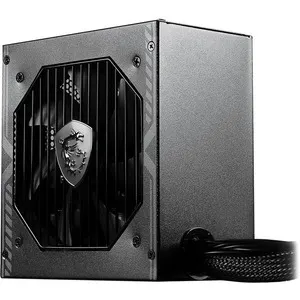
| MSI MAG A650BN (Bronze) | MSI MAG A650GL (Gold) | |
|---|---|---|
| 80 Plus rating | Bronze | Gold |
| Cabling | Non-modular | Fully modular |
| Wattage | 650W | 650W |
| Price | $89.98 | $115.27 |
The Gold A650GL is fully modular, so you connect only the cables you need and keep airflow clean — a genuine daily-use benefit that has nothing to do with the power bill.

If you are still sizing the unit rather than choosing its tier, start with What PSU Wattage Do You Need for an RTX 50-Series GPU? first — picking the right wattage matters far more than picking the right badge. Every build we sell is put together in the PC Builder with a compatible power supply checked against the parts.
Who should buy which
- Buy Bronze if you are on a tight budget, the unit is from a reputable maker, and its wattage fits your build. The MAG A650BN is a fine foundation for a mid-range gaming PC, and the $25 you save goes further in the GPU.
- Buy Gold if you want a quieter, cooler-running system, value fully modular cabling, or want the better internals and warranty that usually come with the tier — not because you expect the power bill to pay you back.
- Skip both if the only "Gold" unit you are looking at is a no-name model. A quality Bronze beats a cheap Gold every time, because the badge grades efficiency, not safety.