
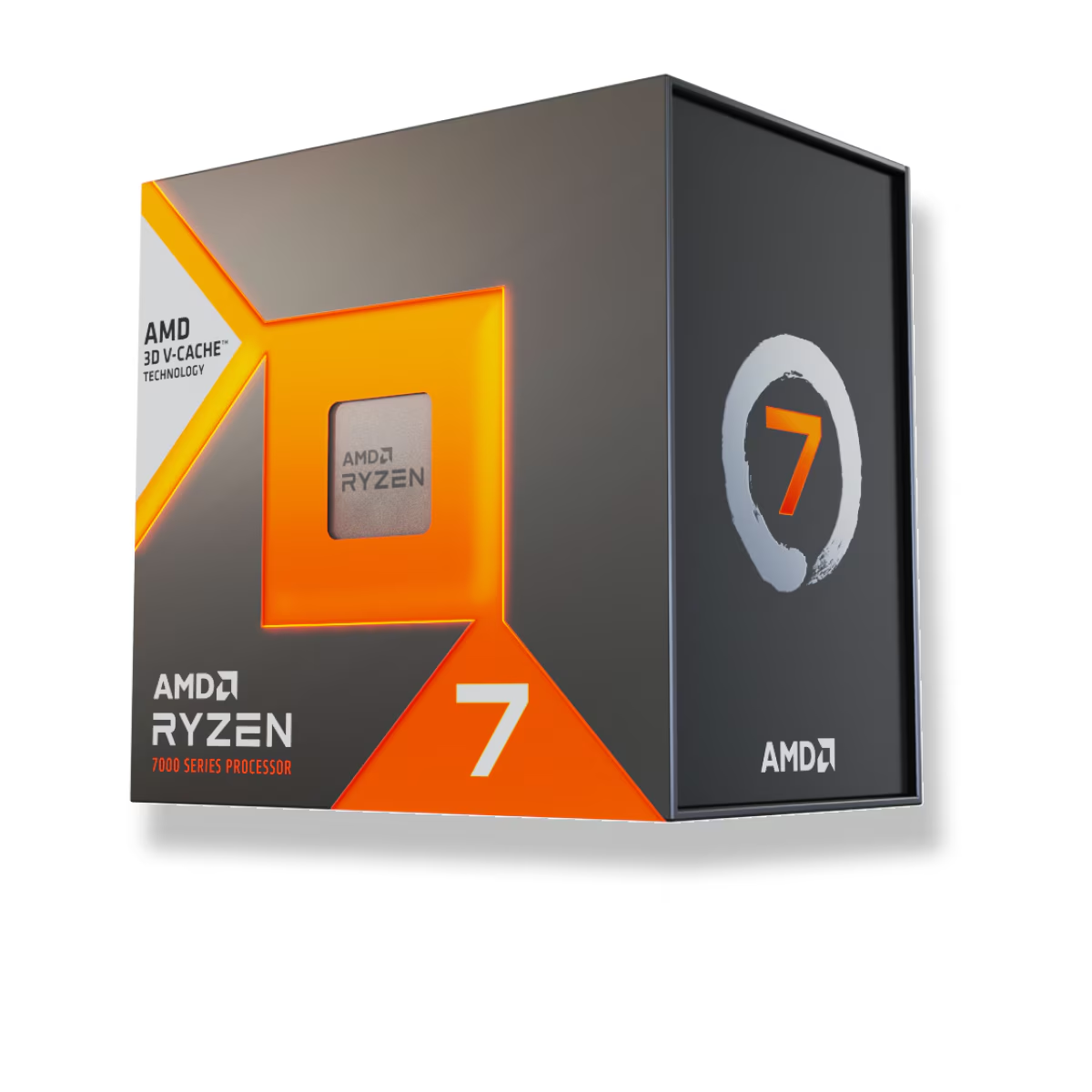
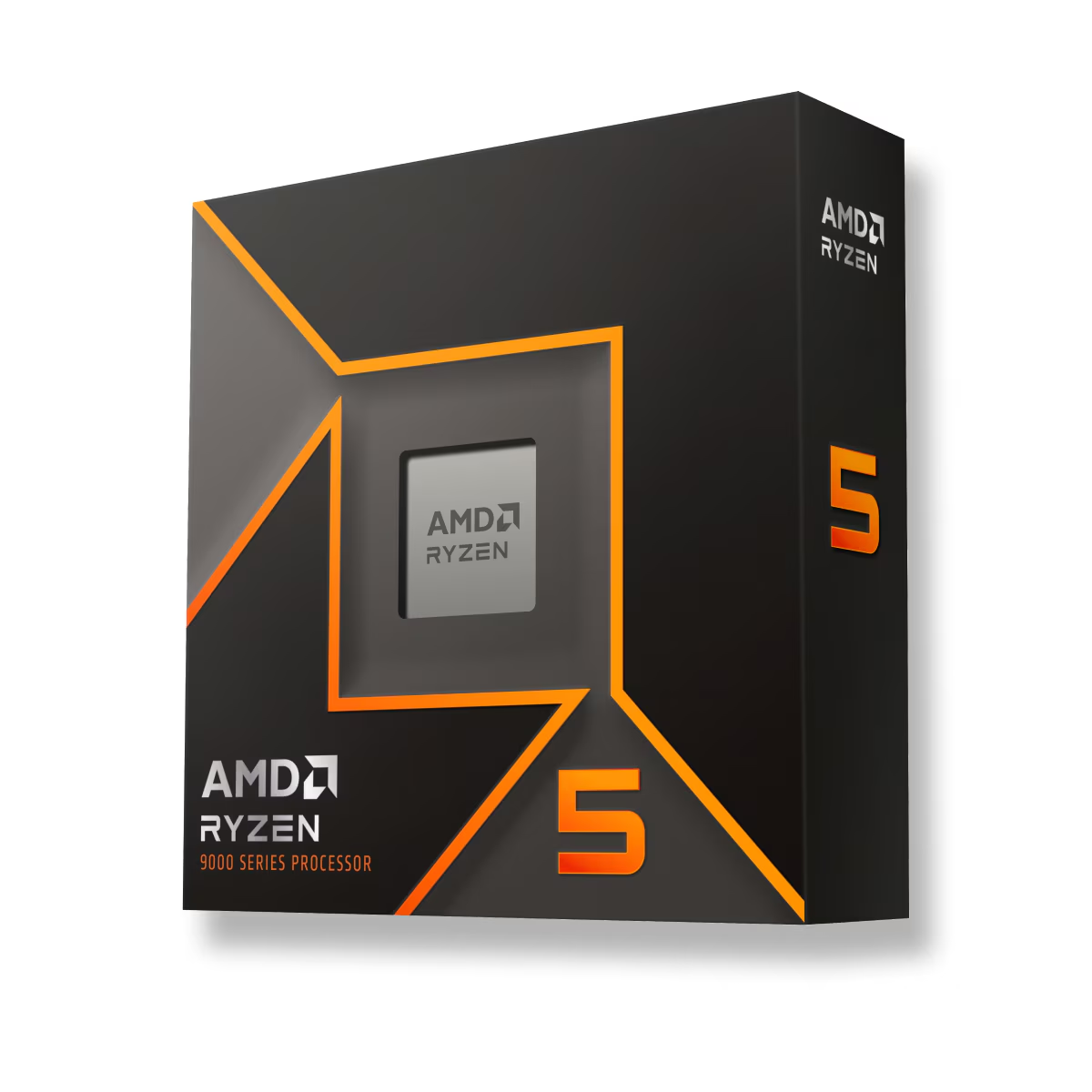
For frame rate alone, the Ryzen 7 7800X3D ($409.99) is the faster chip — but the Ryzen 5 9600X ($215) costs nearly half as much and is close enough that most gamers will never see the difference on screen. The honest split: if you game at 1080p on a high-refresh monitor, or play cache-hungry titles like flight sims and strategy games, the 7800X3D's lead is real and worth paying for. If you game at 1440p or 4K, or you're on a tighter budget, the 9600X gives you almost the same frame rate and leaves nearly $195 for a better graphics card.
The comparison is lopsided on paper — an eight-core gaming specialist against a six-core mid-ranger from a newer generation — but the price gap is what makes it a real decision. Here's what the extra money actually buys.
How big is the gaming gap, really?
TechPowerUp measured the 7800X3D at 8.5% faster on average at 1080p with an RTX 4090 — a deliberately CPU-limited setup that exposes the largest gap you'll ever see between these two (TechPowerUp). For context, the same review put the 9600X only 3.4% ahead of the cheaper Ryzen 5 7600X, so the 7800X3D is genuinely a class above, not a rounding error.
That 8.5% is an average, and averages hide the interesting part. In games that hammer the cache — Microsoft Flight Simulator, Factorio, large-scale strategy, and MMOs in crowded areas — the 3D V-Cache pulls much further ahead, and the win shows up most in 1% lows, the stutter floor that decides whether a game feels smooth. In lighter esports titles that already run at 400+ FPS, the extra frames exist but you're past what most monitors display.
So the 7800X3D isn't 8.5% better everywhere. It's a few percent ahead in typical AAA games and a lot ahead in the specific genres built on simulation and draw calls. If those genres are what you play, that's the whole argument for the chip.
Where the 9600X quietly catches up
Here's the part the spec sheet won't tell you: the 8.5% gap only exists because the test removes the GPU as a limit. Raise the resolution and the graphics card becomes the bottleneck, so both CPUs feed it frames faster than it can render them — and the frame rates converge.
TechSpot's testing on this exact question found that at 4K, average frame rates across CPUs "easily" collapse to the point where it looks like the CPU doesn't matter, especially on anything short of a flagship GPU (TechSpot). The nuance they add: 1% lows still favor the stronger cache chip even at 4K, so a 7800X3D can feel a touch smoother in a rough patch. But if you're chasing an average-FPS number at 1440p or 4K with a mid-range card, the 9600X and 7800X3D land close together.
This is the honest case against the 7800X3D. Pair it with a mid-tier GPU at 1440p and you've paid a premium for a lead the resolution erases. The chip earns its price at 1080p high-refresh and in cache-heavy games — not in a 4K build where the GPU sets the pace.
Cores, cache, and power
| Ryzen 7 7800X3D | Ryzen 5 9600X | |
|---|---|---|
| Architecture | Zen 4 | Zen 5 |
| Cores / threads | 8 / 16 | 6 / 12 |
| L3 cache | 96 MB (3D V-Cache) | 32 MB |
| Boost clock | 5.0 GHz | 5.4 GHz |
| Default TDP | 120 W | 65 W |
| Socket / memory | AM5 / DDR5 | AM5 / DDR5 |
| Catalog price | $409.99 | $215 |
Two extra cores help the 7800X3D in the rare game that scales past six, but its real weapon is cache, not core count. The 9600X answers with a newer architecture, higher clocks, and much lower power — it runs cooler and quieter on a modest cooler, which matters in a small case. Neither chip is a productivity monster; for heavy multi-core work like rendering or code compiling, you'd want a Ryzen 9. Between these two, the choice is about gaming, not workstation throughput.
One practical note: the 7800X3D is effectively locked for overclocking (the 3D V-Cache limits voltage), so what you buy is what you get. The 9600X allows more manual tuning, though the gains are small.
What the $195 difference actually buys
The cleanest way to decide is to look at the whole build, not the CPU in isolation. Spend the extra ~$195 on the 7800X3D and you're buying up to 8.5% more frames in a CPU-limited scenario. Spend that same ~$195 on a better graphics card instead, and at 1440p or 4K you'll usually gain more frames than the CPU upgrade would deliver — because the GPU is what's holding you back at those resolutions.
That's the trade in one sentence: at 1080p high-refresh, the money belongs in the 7800X3D; at 1440p and 4K, it belongs in the GPU. If you're unsure how much graphics card your target resolution needs, our best GPU for 1440p gaming guide and how much VRAM you need both break it down. You can price either CPU into a full system in our PC Builder, which checks socket and memory compatibility as you add parts.
Who should buy which
- Buy the 7800X3D if you game at 1080p on a 144 Hz+ monitor, play simulation, strategy, or MMO titles, or want the best 1% lows for the smoothest feel. This is the fastest gaming chip of the two, and in the right games the gap is large.
- Buy the 9600X if you game at 1440p or 4K, are building on a budget, or want a cool, quiet, low-power AM5 system. You give up a single-digit percentage in most games and pocket nearly $195 for a better GPU.
- Buy neither if you do heavy multi-core work like video rendering or compiling alongside gaming — a Ryzen 9 with more cores is the better fit for that workload.
Whichever you choose, the platform is the same. Both sit on AM5 with DDR5, so you can start with the 9600X today and drop in a stronger AM5 chip later without changing the board.