
For most people building or upgrading a 1440p gaming rig in 2026, the Radeon RX 9070 XT ($1,045.60) is the card to buy. It pairs 16GB of VRAM with raster performance that lands within a few percent of NVIDIA's RTX 5070 Ti, and at 1440p that combination clears max-setting frame rates in nearly everything without the memory ceiling that bites cheaper cards.
We picked from what is actually in stock, at the price the catalog charges today, and we ranked on frames per dollar at 1440p — not raw peak FPS, and not marketing tiers. The result is a short ladder: one card most people should buy, one that saves money without giving up much, one budget entry with a real asterisk, and one card that is genuinely overkill for this resolution.
How we picked
The metric is frames per dollar at 2560×1440, max or near-max settings, with upscaling off for the baseline. That is the resolution the buyer actually plays at, so a card's 4K lead does not earn points here and its 1080p lead is already a solved problem.
Two things we weighted that a spec sheet hides. First, VRAM capacity, because 8GB is now a hard wall in several 2025–2026 titles at 1440p, not a rounding error. Second, efficiency and noise, because a card that draws 100W less runs cooler and quieter in a real case, and that is worth something the FPS chart never shows.
We did not rank on ray-tracing halo numbers. Heavy path tracing still favors NVIDIA, and we say so below where it matters — but most people at 1440p run a mix of raster and light RT, and pricing that whole build around Cyberpunk's Overdrive mode is the wrong trade for the money.
Every card here is confirmed in stock in our catalog, and each one drops straight into a compatibility-checked build in the PC Builder.
RX 9070 XT — Best overall for 1440p
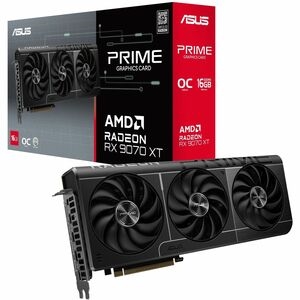
At $1,045.60, the RX 9070 XT is the sweet spot. GamersNexus measured it trading blows with the RTX 5070 Ti in 1440p rasterization — 141 FPS to the 5070 Ti's 145 in Dragon's Dogma 2 (a 3% gap), and 227 FPS in Resident Evil 4, about five frames behind and imperceptible in play. Its 16GB of GDDR6 means the frame buffer is not the thing that breaks first, which is exactly what you want a 1440p card to promise for the next few years.
Ray tracing is close but not tied. In lighter RT loads it stays with the 5070 Ti; in heavier ones it falls behind by roughly 12–16%, per the same GamersNexus review. If your library is RT-forward and you refuse to touch a setting, weigh that gap.
Who it's for: anyone driving a 1440p 144–165Hz monitor who wants max settings today and 16GB of headroom for tomorrow. Skip it if: you play mostly esports titles that already run at 300+ FPS on far cheaper hardware, or your must-play list is built around the heaviest path-traced games, where NVIDIA still leads.
RX 9070 — Best value and the quietest option
The non-XT RX 9070 at $957.72 is the card to buy if you are counting dollars. It is about 11% slower than the XT — a difference you will read on a chart more often than you will feel in a game — for roughly $88 less, and it keeps the full 16GB of VRAM. GamersNexus titled its review "Incredibly Efficient" for a reason: this is the coolest, quietest card in the group, which matters in a compact or airflow-limited case.
The honest catch runs the other way, too. Because the two Radeons sit only ~11% apart, the XT is not the automatic upgrade its name implies — and neither is a slam dunk over the other. Buy the 9070 if efficiency and price win; stretch to the XT only if you want that last slice of headroom.
Who it's for: value-focused 1440p builders, small-form-factor rigs, and anyone who hates fan noise. Skip it if: the $88 to the XT is noise in your total budget — then just buy the faster card.
RTX 5060 Ti — Budget entry, but read the VRAM caveat
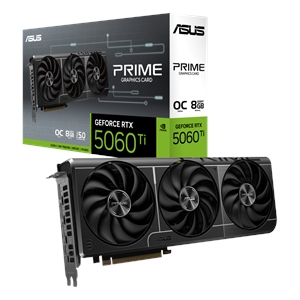
The RTX 5060 Ti at $695.14 is the cheapest way onto this list, and its GPU core is genuinely capable. The problem is the memory. The in-stock version is the 8GB model, and 8GB is where 1440p gets ugly in 2026's heaviest titles. Tom's Hardware documented the 8GB card struggling on VRAM "not just at 4K ultra", and TechSpot and Hardware Unboxed reported frame-time stutter, texture pop-in, and in some cases crashes once the buffer fills — the same silicon in a 16GB frame behaves very differently.
That does not make it a bad card; it makes it a conditional one. Turn textures down a notch, lean on DLSS, or stick to esports and older libraries, and the 5060 Ti is a fine 1440p entry point that leaves budget for a better CPU or SSD.
Who it's for: budget 1440p builders who play competitive/older titles or are comfortable managing texture settings. Skip it if: you want to run 2026 AAA games at high textures at 1440p and forget about it — the 8GB buffer will remind you.
RTX 5080 — Only if you want 4K-class headroom
The RTX 5080 is a superb GPU and the wrong tool for a pure 1440p budget. At $2,117.30 it costs roughly double the 9070 XT, and at 1440p it returns only about 5–8% more rasterization — a real gap that is nearly invisible in play, since both cards are already well past 100 FPS at max settings. TechPowerUp and other reviews put its generational raster gains in the single digits over the last flagship, so you are paying a flagship premium for frames a 1440p monitor will not always show you.
It earns its keep at 4K, at 240Hz+ competitive 1440p where you want raw headroom, or in the heaviest path-traced games where NVIDIA's RT lead is largest. For those buyers it is a clear yes. For someone asking "what maxes out my 1440p 165Hz panel," it is money spent in the wrong place.
Who it's for: 4K gamers, 240Hz+ chasers, and RT-maximalists. Skip it if: your monitor is 1440p and stays 1440p — the 9070 XT gets you there for half the outlay.
The short version
Buy the RX 9070 XT and stop thinking about it. Save the $88 with the RX 9070 if your case is tight or your budget is tighter. Take the RTX 5060 Ti only with eyes open about 8GB. Buy the RTX 5080 when your monitor outgrows 1440p — not before. Every one of these builds and gets a compatibility check in the PC Builder, and pairing the right chip matters as much as the GPU, which is what the best CPU for 1440p gaming guide is for.