
Buy the 16GB RTX 5060 Ti. The two cards use the identical GPU, so at 1080p with ray tracing off they post the same frame rate — but the moment a game needs more than 8GB of memory, the 8GB version stops being slower and starts breaking: texture pop-in, stutter, and in a few titles a crash to desktop. The 16GB card is the only one of the two that stays intact at 1440p and with ray tracing on. Take the 8GB card only if you play competitive esports at 1080p and the price gap is real money to you.
This matters because the two share everything except the memory. Same GB206 chip, same 4,608 CUDA cores, same 128-bit bus, same 448 GB/s of bandwidth, same ~180W power draw. NVIDIA sold them $50 apart at launch ($379 versus $429 MSRP). So "does the extra VRAM matter" is a clean question with one variable, and reviewers who tested both got a clean answer: it depends entirely on whether your games fit inside 8GB — and a growing number of 2025-2026 titles do not.
Gaming performance: where they tie and where they split
The compute hardware is identical, so in any scene that fits inside 8GB of VRAM the two cards are the same card. TechPowerUp measured them dead even at 1080p across a max-settings suite with ray tracing off. Move up in resolution and the buffer starts to bite: about 5% apart on average at 1440p, and roughly 26% apart at 4K, where more titles spill past 8GB (TechPowerUp).
Those averages hide the real story, though. An average stays respectable even when a few games fall off a cliff, and that is exactly what happens here.
| RTX 5060 Ti 8GB | RTX 5060 Ti 16GB | |
|---|---|---|
| GPU | GB206 (same) | GB206 (same) |
| CUDA cores | 4,608 | 4,608 |
| Memory | 8GB GDDR7 | 16GB GDDR7 |
| Bus / bandwidth | 128-bit / 448 GB/s | 128-bit / 448 GB/s |
| PCIe link | 5.0 x8 | 5.0 x8 |
| 1080p, no RT (avg) | Baseline | Tied |
| 1440p (avg) | ~5% slower | Baseline |
| 4K (avg) | ~26% slower | Baseline |
The takeaway from the table: nothing about the chip separates these cards. Every gap in the bottom three rows is the memory running out, not the GPU running slow.
The 8GB failure modes: stutter, pop-in, and crashes
When VRAM overflows, the card doesn't just drop a few frames — it degrades in ways an average FPS number won't show you.
Stutter and broken frame pacing. In Hogwarts Legacy at native 1440p with the High preset and High ray tracing, the 16GB card was 62% faster on average, but the 1% lows told the real story: a 483% improvement over the 8GB card, which TechSpot described as an unplayable stuttering mess (TechSpot). All of that was tested on a Ryzen 7 9800X3D with 32GB of DDR5-6000 CL30 — a top-tier platform, so the CPU was never the bottleneck.
Texture pop-in. Even where the averages looked close — the same game at native 1440p Ultra without heavy ray tracing — the 8GB card visibly loaded low-resolution textures and swapped them in late. The frame counter looks fine; the game looks worse.
Outright crashes. In Indiana Jones and the Great Circle, the 8GB card crashed to desktop at 1080p Ultra, and only the Low and Medium presets would run reliably (TechSpot). This is a 2024-2025 title, not a future hypothetical. That is the difference between "a bit slower" and "can't run this preset at all."
Why an older motherboard makes the 8GB card worse
Here is the part most comparisons skip. The RTX 5060 Ti connects over a PCIe x8 link, not the full x16 — half the lanes. When VRAM fills up and the card has to fall back on system memory, everything it can't fit has to travel over that narrow link.
The bandwidth math is brutal. The card's own VRAM moves data at 448 GB/s. An x8 link gives you 64 GB/s on PCIe 5.0, 32 GB/s on PCIe 4.0, and just 16 GB/s on PCIe 3.0 (TechSpot). So the instant the 8GB card overflows, it's feeding the GPU through a straw — and on an older PCIe 3.0 board that straw is four times narrower than on a modern one.
The result: in a VRAM-limited Cyberpunk 2077 scene at max settings, the 16GB card dipped to 18 FPS while the 8GB card bottomed out at 9 FPS (TechSpot). If you are dropping this card into an older system to squeeze another year out of it — exactly the buyer a budget GPU targets — the 8GB version is the wrong choice, because your platform makes its worst-case behavior worse. The 16GB card mostly sidesteps the whole problem by not overflowing in the first place.
Price and availability
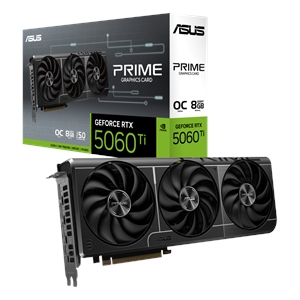
In our catalog right now, the cheapest in-stock 8GB card is the Asus RTX 5060 Ti 8GB at $695.14, and the 16GB is the MSI RTX 5060 Ti 16G SHADOW 2X OC PLUS at $880.15 — about $185 apart.
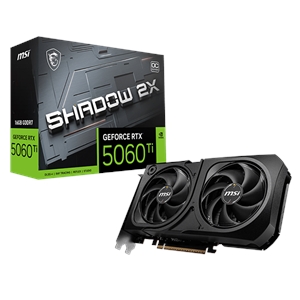
Be honest with yourself about that gap. At the $50 MSRP spread NVIDIA intended, the 16GB is an automatic yes. At $185 in our catalog it's a wider jump, and a strict-budget buyer who genuinely only plays esports at 1080p can take the 8GB card and lose nothing today. Everyone else is buying a memory ceiling that games are already hitting. If you're planning the whole system, drop both into our PC Builder to check power and clearance against your case before you decide.
Who should buy which
- Buy the 16GB if you play at 1440p, turn ray tracing on, run modern AAA titles with high textures, or plan to keep the card more than a year or two. It is the only one of the two that holds together in the scenarios that break the 8GB.
- Buy the 8GB only if your library is competitive esports at 1080p (Valorant, CS2, Rocket League), you have a modern PCIe 4.0/5.0 board, and the price difference is money you actually need to save. Outside that box, you'll meet the 8GB wall sooner than you think.
For the deeper question of how much memory you actually need across resolutions, see our guide on how much VRAM you need for gaming. If you're weighing the whole tier, we also compared the RTX 5060 vs RTX 5060 Ti.