
For a 65W Ryzen paired with one GPU and a Gen4 SSD, an A620 board runs your games at the same frame rate as a B650 — the chipset isn't in the frame-rate path. Buy the A620 if that describes your build and it saves real money at checkout. Step up to B650 the moment you want a Gen5 SSD, plan to tune the CPU, or you're pairing a 105W-or-hotter chip like a Ryzen 7 7700X or 7800X3D.
The catch is that the savings are thinner than the spec gap suggests. A620 gives up PCIe 5.0 entirely, blocks CPU overclocking, and is officially rated only for 65W processors — yet the cheapest B650 in our catalog undercuts a mid-tier A620 by only about $20. This is where the "just buy the cheapest board" advice quietly costs people an upgrade path.
What the two chipsets actually change
Both are AM5. Both take the same Ryzen 7000, 8000, and 9000 CPUs, both run DDR5, and both support AMD EXPO memory overclocking — so the single biggest gaming lever on AM5, running your kit at DDR5-6000, is available on either. The differences sit around the CPU and the expansion slots, not in the games themselves.
| A620 | B650 | |
|---|---|---|
| CPU overclocking | No | Yes |
| Memory OC / EXPO | Yes | Yes |
| PCIe to GPU slot | Gen 4 | Gen 4 (Gen 5 on B650E) |
| Fastest M.2 slot | Gen 4 | Gen 5 (at least one) |
| AMD-rated CPU TDP | Ideal for 65W | Up to 170W |
| Typical form factor | Micro-ATX | ATX and Micro-ATX |
A620 launched as AMD's floor chipset for AM5, and the savings come from deleting features, not cutting corners on the socket. It supports memory overclocking and full EXPO profiles, but it explicitly disables CPU overclocking and caps every lane at PCIe 4.0 — there is no Gen5 SSD slot on any A620 board (TechSpot). GIGABYTE's own A620M spec sheet lists its fastest storage as a "PCIe 4.0 x4 M.2 Connector" while still advertising "DDR5 EXPO & XMP Overclocking Up to 8000 and Beyond" (GIGABYTE).
Gaming: why the chipset doesn't move your frame rate
A motherboard chipset does not render frames. Give an A620 and a B650 the same CPU, the same GPU, and the same DDR5-6000 EXPO kit, and they produce the same numbers, because none of the parts that determine your frame rate route through the chipset. PCIe 4.0 versus 5.0 doesn't change this today either — no current graphics card saturates a Gen4 x16 link, and Gen4 versus Gen5 SSDs land within a hair of each other on real game load times.
There is exactly one way A620 loses frames, and it's not the chipset — it's the power delivery. AMD positions A620 boards as "ideal for 65W TDP" processors and does not guarantee support for higher-TDP chips; on a board built to the cheapest possible VRM spec, a hotter CPU can hit its power ceiling and drop boost clocks under sustained load (Tom's Hardware). Pair a genuine 65W part like the Ryzen 5 9600X and this never comes up. Pair a 105W Ryzen 7 7700X or a 120W Ryzen 7 7800X3D and it can — the same chip may hold its clocks on a sturdier B650 and sag on a bargain A620.
Where A620 actually costs you: the ceiling
The A620's real price isn't paid on day one — it's paid the day you want to upgrade. Three doors are closed on this platform and can't be reopened without a new board.
Storage is the obvious one. A620 tops out at PCIe 4.0, so a Gen5 NVMe drive will physically fit and then run at Gen4 speeds. If you never intend to chase the fastest drives, that's a non-issue. If you do, you're buying a board again.
Overclocking is the second. A620 disables CPU overclocking, and on most boards that includes Precision Boost Overdrive and Curve Optimizer — the undervolt-and-tune knobs that owners of chips like the 7800X3D actually use to squeeze out efficiency. Memory tuning still works, but if you want to touch the CPU at all, you need at least a B650.
Headroom is the third. A620's VRM and 65W rating make it a poor landing spot for a future 12- or 16-core chip. Drop a 170W Ryzen 9 7900X onto an entry A620 board and you're leaning on power delivery that was never designed for it.
Price and availability
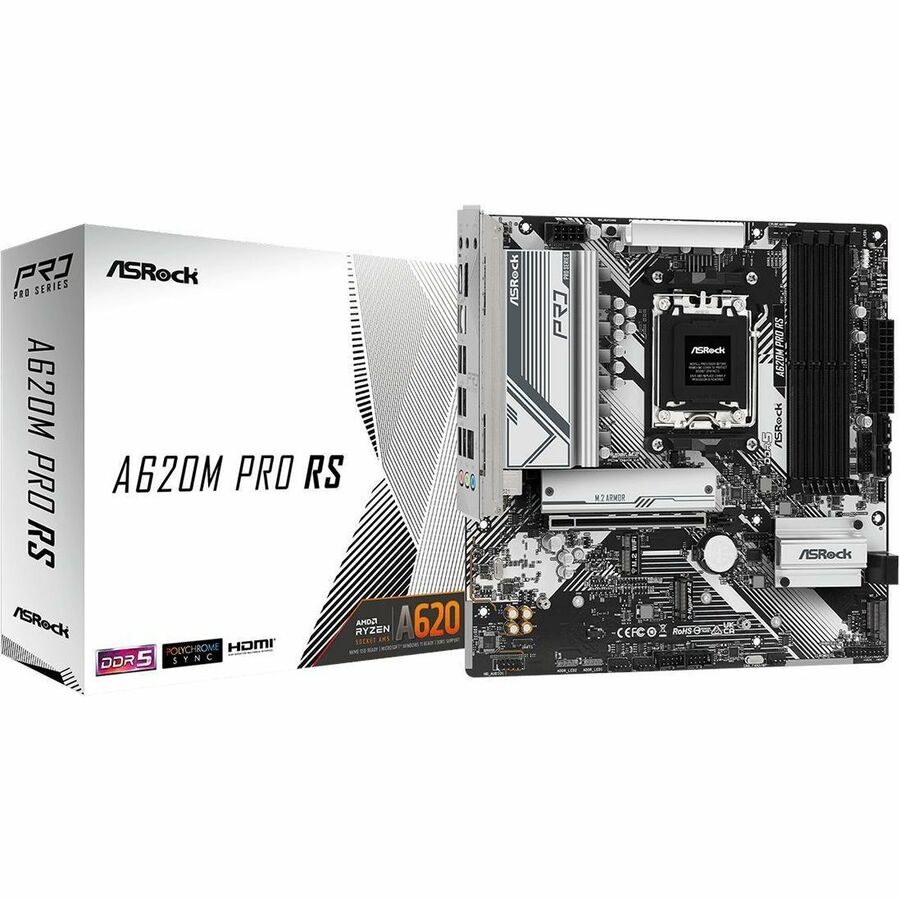
Here's the number that reframes the whole decision. In our catalog right now, the ASRock A620M Pro RS (Micro-ATX, A620) is $169.98. The cheapest B650 board we stock, the ASRock B650 PG Lightning (ATX), is $189.77 — and the ASRock B650 PRO RS runs $206.99.
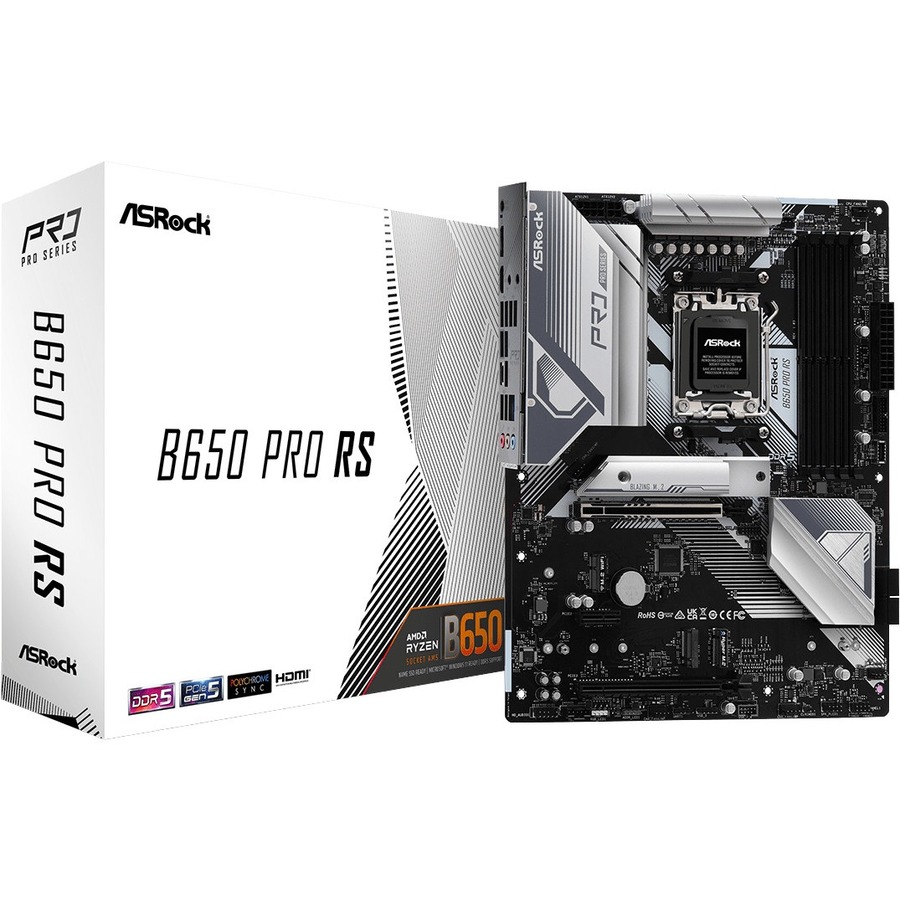
So the A620 saves you roughly $20 over the entry B650, and about $37 over the B650 PRO RS. For that $20, B650 hands back CPU overclocking, a Gen5 M.2 slot, a full-size ATX layout with more expansion, and a VRM designed for the whole Ryzen stack. That's not a knock on A620 — it's a $170 board doing its job — but it means the case for A620 is only strong when a specific board is meaningfully cheaper than the nearest B650 in your cart, not just cheaper on paper. Prices move; check both at checkout. Once you've settled the chipset, B650 vs X870 covers the next tier up if you're tempted to keep climbing.
Who should buy which
- Buy A620 if you're building a one-and-done budget PC with a 65W chip like the Ryzen 5 9600X, a single GPU, and one Gen4 SSD — and the A620 board in front of you is clearly cheaper than the nearest B650. You lose nothing in games and pocket the difference.
- Buy B650 if you're running a 105W-or-hotter CPU (7600X, 7700X, 7800X3D, 7900X), want a Gen5 SSD now or later, plan to tune the CPU with PBO, or expect to drop in a faster chip down the road. At about $20 more, it's cheap insurance against buying a second board.
Not sure whether your chosen CPU pushes past what an A620 board can feed? Drop the parts into our PC Builder — it flags a board-and-CPU pairing that's out of its depth before you pay, and it carries the $1 professional build-and-test option if you'd rather have the VRM and cooler set up and verified for you.