
For pure gaming in 2026, 16GB of RAM still runs almost every title at the same average frame rate as 32GB — but 32GB is the smarter buy for a new build. The extra capacity does almost nothing for average FPS. What it buys is steadier 1% lows in the newest open-world games and room to keep Discord, a browser, and a stream open without the game fighting for memory. On a tight budget where you close background apps, 16GB is genuinely fine. On a $1,000+ build meant to last a few years, 32GB is the current default, and 64GB is money you won't feel in a game.
The confusion comes from how memory gets sold. Kit listings shout capacity and speed as if both scale frames linearly, and "boost your FPS" upgrade posts make 32GB sound like a performance part. It isn't. System RAM is a threshold, not a dial: below what a game needs, you get stutter and texture pop-in; above it, the extra capacity sits idle. So the real question isn't "16 or 32 for more frames" — it's how close 16GB gets to the ceiling in the games and the multitasking you actually run.
Average FPS: where 16GB and 32GB tie
If you play at 1080p or 1440p and close background apps first, moving from 16GB to 32GB will not raise your average frame rate in most games. TechSpot's 2026 test ran the same games across 8GB, 16GB, 32GB, and 64GB and found the top three tiers landed within noise of each other on both average FPS and 1% lows. The 8GB configuration was the only one that fell apart, with visibly broken frame times.
PC Gamer's 2026 testing reached the same headline: 16GB is still fine for today's games. That is the honest answer for a lot of people, and it's why a shop pitching 32GB as an "FPS upgrade" is selling you a number that doesn't show up on the frame counter.
1% lows and stutter: the real difference
Average FPS hides the thing you actually feel. The gap between 16GB and 32GB shows up in 1% lows — the brief dips that read as a hitch mid-firefight or a stutter crossing an open-world zone boundary.
This is where 32GB earns its keep in the newest, heaviest games. TechSpot measured about 11% better 1% lows in S.T.A.L.K.E.R. 2 with 32GB, and flagged Mafia: The Old Country as the first title in its suite where 16GB wasn't quite enough to hold a clean frame time. Neither game becomes unplayable on 16GB, but the smoother minimums are exactly the kind of difference you can't un-see once you've felt it.
How much RAM modern games actually use
Recommended-spec sheets have quietly moved. Indiana Jones and the Great Circle, DOOM: The Dark Ages, S.T.A.L.K.E.R. 2, Kingdom Come: Deliverance II, and Microsoft Flight Simulator all now list 32GB as recommended, per XDA's roundup.
Measured usage backs that up. Using MSI Afterburner, XDA logged 007 First Light using more than 20GB of system RAM during gameplay, with Black Myth: Wukong and Assassin's Creed Shadows both sitting around 15GB. A game that wants 15GB to itself leaves a 16GB system with almost nothing for Windows and everything else you have open — which is where the stutter usually starts.
The hidden RAM tax: background apps and 8GB GPUs
Most people don't game on a clean system. Discord, a Chrome tab or ten, Steam, a wallpaper engine, RGB software, and OBS if you stream all sit in the background eating RAM before the game launches. On 16GB, a 15GB game plus that stack pushes the system into paging to the SSD, and paging is what you feel as a hitch.
There's a second trap tied to your graphics card. If you run a budget 8GB GPU and a game overflows its VRAM, the overflow spills into system RAM. That makes system-memory headroom matter more, not less, on cheap cards — the exact builds most likely to be paired with 16GB. If you're weighing an 8GB card, our breakdown of how much VRAM you need for gaming covers where that spillover starts to bite.
| 16GB | 32GB | |
|---|---|---|
| Average FPS (most games) | Same as 32GB | No meaningful gain |
| 1% lows in newest open-world AAA | Occasional dips/stutter | Steadier (~11% better in S.T.A.L.K.E.R. 2) |
| Gaming + Discord/browser/stream | Tight, can page to SSD | Comfortable headroom |
| Pairing with an 8GB GPU | Risk on VRAM spillover | Cushions spillover |
| Best fit | Budget build, apps closed | New mid-to-high build for a few years |
Speed and configuration matter more than jumping to 64GB
Before you spend the 32GB premium, spend it correctly. Two rules move more frames than raw capacity does:
- Run dual-channel. Buy 32GB as a matched 2x16GB kit, not a single 32GB stick. One stick halves memory bandwidth and can cost more real performance than the 16-to-32 jump ever gives back.
- On AM5, DDR5-6000 CL30 is the sweet spot. Faster kits chase diminishing returns and can drop off the 1:1 memory ratio. The details are in our DDR5-6000 vs DDR5-6400 comparison.
Going to 64GB does none of this for a game. In every editorial test, 64GB matched 32GB in gaming and pulled ahead only in workloads gaming isn't — rendering, large project files, virtual machines. Tom's Hardware reaches the same split: capacity past what a game touches is idle silicon.
Price and what to buy
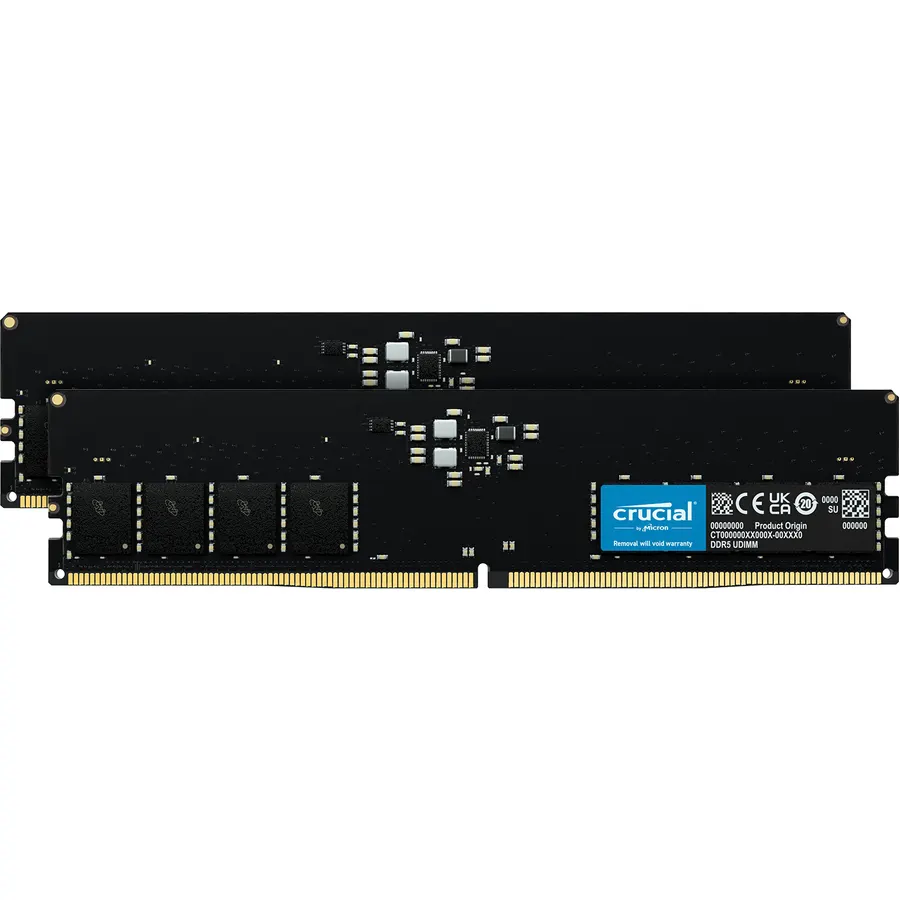
The honest budget math: a 16GB kit saves you real money and still games well if you keep background apps light, while a 2x16GB 32GB DDR5-6000 CL30 kit is the safe default for a build you want to leave alone for a few years. Neither choice is wrong — they're aimed at different budgets.
64GB is the one to skip for gaming. It's a content-creation and workstation part. If you genuinely edit video, run VMs, or juggle huge project files alongside games, TechCortex stocks the Micron 64GB (2 x 32GB) DDR5 kit at $725.07 — but buy it for the work, not for frames.
Who should buy which
- Get 16GB if you're building on a strict budget, play mostly esports and older titles, and close background apps before you game. You'll match 32GB's average FPS in most of what you run.
- Get 32GB if you're building a new mid-range or high-end rig, play the latest open-world AAA games, stream, or keep a browser and Discord open while gaming. This is the 2026 default.
- Get 64GB only if you also do heavy content creation or run virtual machines. For pure gaming it's wasted money.