
For 1440p gaming, the RTX 5070 is the smarter buy: its 12GB of VRAM is enough at that resolution today, and it costs about $400 less in real pricing while giving up only around 25% of the frames. Step up to the RTX 5070 Ti only if you game at 4K or want the 16GB memory buffer to keep the card relevant for the next several years. The Ti is faster, but it is not "$400 faster" at the resolution most people actually play.
NVIDIA lists these two cards $200 apart — $549 versus $749 MSRP — which makes the Ti sound like a minor upgrade (NVIDIA). Street pricing tells a different story. In our catalog the RTX 5070 is $728.29 and the RTX 5070 Ti is $1,127.57, a $399 gap of roughly 55%. When the price step is that much larger than the performance step, the name similarity stops mattering and the question becomes: what does that money buy in frames and headroom?
1440p gaming performance
At 1440p the 5070 Ti leads by roughly 20–25% in editorial testing (Tom's Hardware, TechPowerUp). Those figures come from Ultra presets, measured with a high-end CPU to avoid a processor bottleneck, across a mix of rasterized and ray-traced games. Change the CPU or drop the settings and the gap shrinks, because a slower processor caps both cards before the GPU does.
A 25% bump is the difference between roughly 80 and 100 FPS — genuinely noticeable on a high-refresh monitor, but not the generational leap the price gap implies. And at 1440p the 5070's 12GB rarely fills up in today's games, so you are paying the Ti premium for raw shader throughput, not for memory headroom you can actually use at that resolution yet.
4K and where 12GB runs out
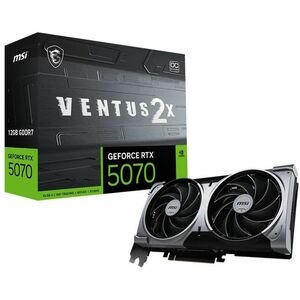
At 4K the gap widens to about 30%, because the Ti's wider 256-bit bus and 16GB of GDDR7 start to matter (TechPowerUp). This is also where the 5070's 12GB becomes the bottleneck rather than the core count. VRAM-heavy titles with ray tracing and ultra-resolution textures can push past 12GB at 4K, and once you exceed the buffer you get texture pop-in or stutter that no amount of raw speed fixes.
Be honest about the ceiling, though: neither card is a native-4K-max GPU in the most demanding 2025 releases. The 5070 Ti holds 60 FPS in many games at 4K but leans on DLSS in the heaviest ones, and the 5070 frequently falls below 60 at native 4K Ultra (TechSpot). If 4K is your target resolution, the Ti is not a luxury tier — it is the practical entry point, and the 12GB card will have you reaching for upscaling far more often.
Specs that actually differ
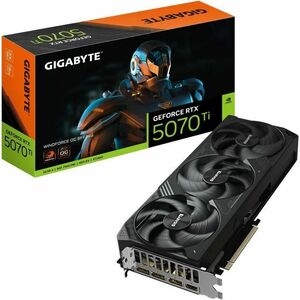
Only a handful of specs separate these cards, and they are the ones that explain the performance gap.
| RTX 5070 | RTX 5070 Ti | |
|---|---|---|
| CUDA cores | 6,144 | 8,960 |
| Memory | 12GB GDDR7 | 16GB GDDR7 |
| Memory bus | 192-bit | 256-bit |
| Bandwidth | 672 GB/s | 896 GB/s |
| TGP (power) | 250W | 300W |
| MSRP | $549 | $749 |
Source: NVIDIA RTX 5070 family. The 46% jump in CUDA cores explains most of the raw-throughput gap, while the wider bus and extra 4GB are what let the Ti pull further ahead specifically at 4K.
Price and value in our catalog
At current catalog pricing the math is blunt: the RTX 5070 costs $728.29 and the RTX 5070 Ti costs $1,127.57. You are paying about 55% more for roughly 25% more 1440p performance, which means the 5070 wins clearly on cost-per-frame at that resolution. The Ti only turns into the better value when the 5070's 12GB becomes a wall — at 4K, in heavy ray-traced titles, or if you plan to keep the card four or more years.
There is also a power difference to plan for. The Ti's 300W TGP versus the 5070's 250W means a bit more heat and a slightly larger power budget; if you are near the edge on your supply, check our PSU wattage guide before you commit. Both cards drop into a compatibility-checked build in our PC Builder, which flags PSU and clearance issues before you order.
The honest takeaway: if you game at 1440p, that $399 is often better spent elsewhere — a larger SSD, a better cooler, or more RAM — than on frames you will struggle to notice.
Who should buy which
- Buy the RTX 5070 if you game at 1080p or 1440p, want the best price-per-frame, and typically upgrade every two to three years. 12GB is enough at these resolutions in current titles.
- Buy the RTX 5070 Ti if you game at 4K, run VRAM-heavy games with ray tracing, or want to hold the card for four-plus years. The 16GB buffer is the real reason to pay more — more so than the roughly 25% extra frames.