If your newly built PC powers on but shows no image, it almost certainly is not dead. The two faults behind most no-POST builds are memory that isn't fully seated and — on AM5 — the first-boot memory training that can hold a black screen for two to five minutes before anything appears. Reseat the RAM until both clips click, wait five full minutes on the very first power-on, and read the motherboard's debug LED before you unplug a single cable.
The confusion comes from what "on" looks like. Fans spin, RGB lights glow, the pump hums — so the machine seems alive, and a blank monitor reads as a corpse. But POST (the Power-On Self-Test) is a sequence: the board checks the CPU, then memory, then graphics, then a boot device, in that order. A no-POST build is stalled at one of those stages, and on most modern boards the hardware will tell you which one.
First, confirm it is actually a no-POST
Three different failures feel identical at the desk, and they have different fixes:
- No power at all — nothing spins, no lights. That is a power-delivery or front-panel problem, not a POST failure. Check the PSU switch, the wall outlet, and the case power-button header.
- No POST — fans and lights come on, but there is no display and the system never reaches the BIOS. This is what this guide solves.
- Boots to BIOS but not Windows — you see the motherboard splash or BIOS, then it hangs. That is a storage or boot-order problem, not a POST failure.
If fans spin and you get no image, you are in the middle case. Do not start swapping parts yet.
Read the debug LED before you touch anything
Most boards from the last several years have a diagnostic aid near the 24-pin connector. Each brand names it differently, but they work the same way: four labeled LEDs — CPU → DRAM → VGA → BOOT — that light in sequence during POST and go dark as each stage passes. Whichever one stays lit is where POST stalled (CGDirector).
- DRAM lit — memory not detected or not seated. Start with reseating.
- CPU lit — CPU power or seating. Check the 8-pin EPS cable and the socket.
- VGA lit — the board can't see graphics. Reseat the GPU, and plug the monitor into the GPU, not the motherboard.
- BOOT lit — POST passed; the board can't find a drive. That is a storage problem, not a hardware-detection one.
Premium ASRock and some ASUS/Gigabyte boards replace the four LEDs with a two-digit Q-Code / Dr. Debug display; the code (for example 15 during memory training, or 55 for memory not installed) maps to a table in the manual. Read the LED first — it tells you which of the steps below to jump to.
The checklist, in the order that finds it fastest
Work top to bottom. Each step is ordered by how often it is the actual cause, so you fix the common things first.
- Wait five minutes on the first boot. On a fresh AM5 build with EXPO enabled, memory training runs before the display initializes, and it legitimately takes 2–5 minutes with the screen black. Pulling power mid-training is the single most common way people "diagnose" a board that was working fine (ASUS ROG — AM5 memory training).
- Reseat the RAM in the correct slots. Pull the sticks, line up the notch, and press each end until both clips click shut — DDR5 takes real force. For a two-stick kit, use A2 and B2 (second and fourth from the CPU); the manual's population table confirms it.
- Confirm both power cables. The 24-pin ATX and the 8-pin EPS CPU cable at the top-left of the board both need to be firmly seated at the PSU and the motherboard. A missing EPS is a classic no-POST.
- Plug the monitor into the graphics card. If you have a discrete GPU, the cable must go into the card, not the motherboard's video output. This alone accounts for a surprising share of "no signal" builds.
- Test one stick at a time. If it still won't POST, run a single stick in slot A2. If that boots, the second stick or slot is the issue. Moving one known-good stick through each slot isolates a bad slot or module in minutes.
- Clear CMOS. Power off, unplug, and use the Clear CMOS button or jumper (or pull the coin battery for a minute). This resets a bad EXPO/XMP setting or a corrupt BIOS state that can block POST.
- Check for a short. A missing or extra brass standoff behind the board, or a case power-button header on the wrong pins, can prevent POST. If nothing else works, bench-test the board outside the case on its box with only CPU, cooler, one stick, and the GPU.
When the board has no debug LED
Here is the honest catch: the cheapest boards often ship without any debug readout. Without it, a no-POST build is a blind swap — pull a part, retry, repeat — and what should be a five-minute fix becomes an evening. That is a real, practical reason the feature is worth a small premium on a first build, and it is one of the few motherboard extras that pays for itself the day something goes wrong.
Every board we stock in the mid-range and up includes one. The MSI MAG X870E Tomahawk WIFI ($339.99) uses MSI's four-light EZ Debug LED, and the ASUS ROG Strix B650-A Gaming WIFI ($229.99) uses ASUS Q-LED — both localize a stall to CPU, DRAM, VGA, or BOOT without any extra hardware.
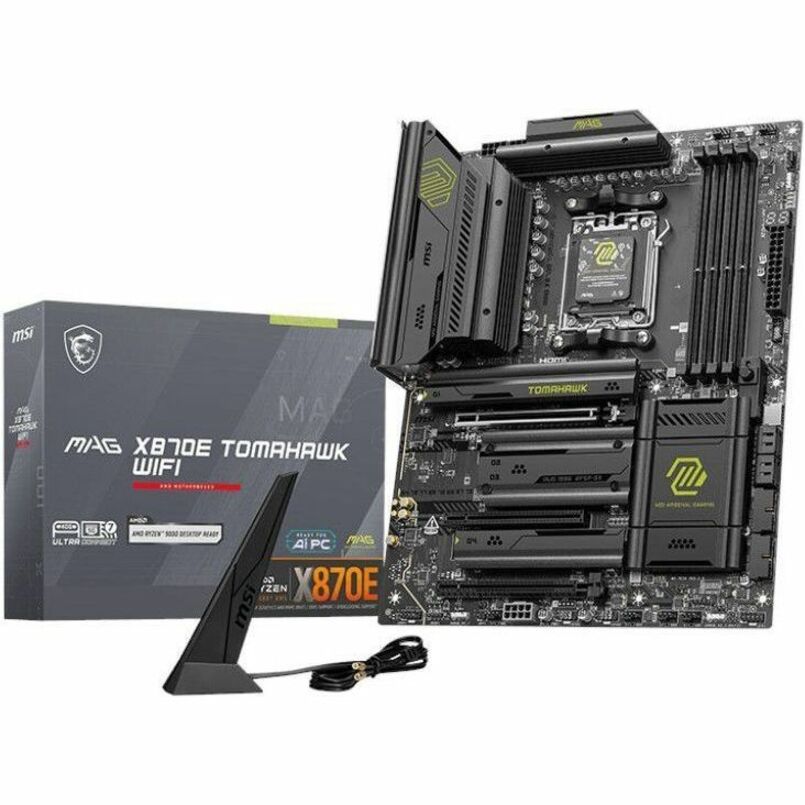
If you are still choosing parts, our B650 vs X870 breakdown covers which AM5 chipset you actually need, and the full 2025 build guide walks the assembly order that avoids most of these faults in the first place.
Common mistakes
- Killing power during AM5 memory training. The screen is black for minutes on the first boot by design. Interrupting it can force the whole training run to start over — or leave the board in a state that needs a CMOS clear.
- Populating A1/B1 instead of A2/B2. A two-stick kit in the wrong pair often posts intermittently or not at all. The board's manual shows the exact slots.
- Forgetting the 8-pin EPS cable. It looks like a PCIe power lead and lives in an awkward top corner. The 24-pin being in does not mean the CPU has power.
- Monitor in the motherboard port with a GPU installed. Many builds "have no display" only because the cable is in the wrong socket.
- Under-seating DDR5. People used to DDR4 under-press DDR5. If only one clip clicked, the stick isn't home.