
For gaming, buy a good PCIe 4.0 SSD and skip Gen5. A PCIe 5.0 drive roughly doubles sequential bandwidth on the spec sheet — around 14,000 MB/s versus 7,450 MB/s — but that number does not turn into faster games. Independent load-time testing puts the gap between a fast Gen4 and a fast Gen5 drive at under two seconds, often within margin of error (TechSpot). What Gen5 reliably adds is heat, higher power draw, and a heatsink you now have to care about.
The confusion comes from the marketing, which sells storage on the one number that games ignore. Sequential read speed is a benchmark headline. Games load in short, bursty reads scattered across the drive, and the frame-rendering pipeline — CPU decompression, GPU, and the game engine — is the bottleneck long before a modern NVMe drive is. The spec that doubled is not the spec that was slowing you down.
What the speed numbers actually mean
Two specs decide how storage feels: sequential throughput (big contiguous reads) and random 4K access (thousands of tiny scattered reads). Marketing leads with sequential because it is the bigger number. Game loading leans far more on random 4K and on how fast the CPU can decompress assets.
Gen5 does improve both. The Samsung 9100 PRO (PCIe 5.0) posts around 14,000 MB/s sequential and higher 4K random IOPS than the Gen4 990 PRO (Tom's Hardware). The catch is that neither drive is what makes you wait. When a game loads a level, the storage delivers the data faster than the engine and CPU can unpack and place it. Feed a faster hose into a funnel and the funnel still sets the pace.
| Samsung 990 PRO (Gen4) | Samsung 9100 PRO (Gen5) | |
|---|---|---|
| Interface | PCIe 4.0 x4 | PCIe 5.0 x4 |
| Sequential read | 7,450 MB/s | ~14,000 MB/s |
| Real game load gap | baseline | under ~2 s faster (TechSpot) |
| Heatsink | optional | effectively required |
| Catalog price (1TB) | $367.98 | $390.17 |
Game load times: the gap you cannot feel
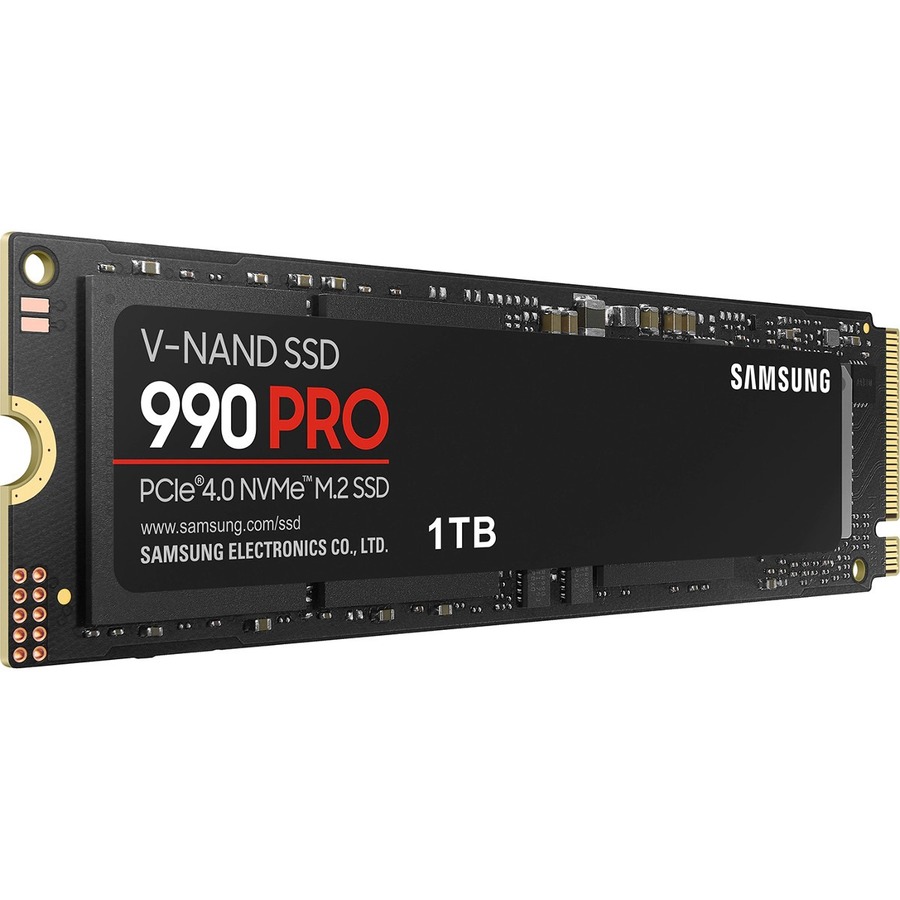
This is where the pitch falls apart. TechSpot's load-time comparison across PCIe 3.0, 4.0, and 5.0 drives found the spread between NVMe drives small and, in their words, not closely tied to drive specifications (TechSpot). A fast Gen4 drive like the Samsung 990 PRO at $367.98 loads a modern game within a second or two of the quickest Gen5 drive on the market.
The honest exception is DirectStorage — the API that lets the GPU decompress assets and, in theory, feed on Gen5 bandwidth. A handful of titles that use GPU decompression (Ratchet & Clank: Rift Apart and Forspoken are the usual examples) can show larger gaps. But those games are still rare, and even there a Gen4 drive is not saturated. Gen5 is buying a future that most of your library has not shipped yet.
Heat and power: the Gen5 tax
Gen5's real, measurable difference is thermal. These controllers pull roughly twice the power of a Gen4 drive and can spike past 80°C within seconds of a heavy transfer, tripping thermal throttling somewhere around 75–80°C (XDA). A Gen5 drive without a heatsink is a genuine mistake, not a corner you can cut.
For gaming specifically this rarely bites you — game loads are short bursts and the drive cools between them — but it changes the buying math. You need a motherboard with a proper M.2 5.0 heatsink, or you pay for a drive with a chunky one attached, and in a small case that heatsink has to fit under the GPU. A Gen4 drive like the Kingston KC3000 runs cool enough that the thin motherboard shield is plenty.
What it costs in our catalog
Here is where the usual "Gen5 is a rip-off" line does not fully hold, so I will be straight about it. In our catalog the Gen5 premium is modest: the Samsung 9100 PRO 1TB is $390.17 versus $367.98 for the Gen4 Samsung 990 PRO 1TB — about $22, roughly 6%. At 2TB it is $767.37 versus $723, a similar gap.
So this is not a case of paying double for nothing. It is paying a little for capability a gamer will not feel. If you also do heavy file work — video scratch disks, large project transfers, moving hundreds of gigabytes at a time — that small premium is easy to justify, because those workloads are exactly where Gen5's sequential speed shows up. If you game and nothing else, the cheaper 990 PRO or the Kingston KC3000 at $329.99 does the same job in games and leaves the difference for a better GPU.
Who should buy which
- Buy a Gen4 drive if you are building or upgrading a gaming PC and want the money to go where frames come from. The 990 PRO and KC3000 are DRAM-equipped, hold speed under sustained load, and lose nothing you can feel in games.
- Buy a Gen5 drive if you move large files often — content creation, professional workloads — or you want a decade of headroom and your board has a real M.2 5.0 heatsink. You are paying for bandwidth and future-proofing, not FPS.
- Do not downgrade below Gen4. The upgrade you actually feel is HDD or SATA SSD → NVMe. If you are still on a spinning disk or a SATA drive for your game library, that jump matters far more than any argument on this page.
Whichever tier you pick, drop it into our PC Builder and it will check capacity, form factor, and slot compatibility against the rest of your parts before you buy. Building the whole machine from scratch? Start with how to build a gaming PC in 2025 and treat the SSD generation as one of the last, least important calls you make.